
PDF Manager Guide
Best Free PDF Compressor Without Quality Loss
Discover the best free PDF compressor tools that reduce file size without visible quality loss. Compare online and desktop options for optimal PDF compression.
- What Makes a Good PDF Compressor
- Top Free Online Compressors
- PDF Manager Compressor
- Desktop Compression Tools
- Compression Techniques Explained
- How to Choose the Right Tool
- Frequently Asked Questions
What Makes a Good PDF Compressor
A quality PDF compressor reduces file size significantly while maintaining visual fidelity. The best tools use intelligent compression algorithms that differentiate between text, images, and vector graphics, applying optimal compression to each element type. Key features include adjustable compression levels, batch processing, and preservation of text clarity and fine details.
Top Free Online Compressors
Several free online PDF compressors deliver excellent results without quality loss. PDF Manager leads the category with smart compression technology that analyzes document content and applies optimal settings. Other notable options include Smallpdf, iLovePDF, and PDF24, each offering unique features like batch processing and adjustable compression levels.
PDF Manager Compressor
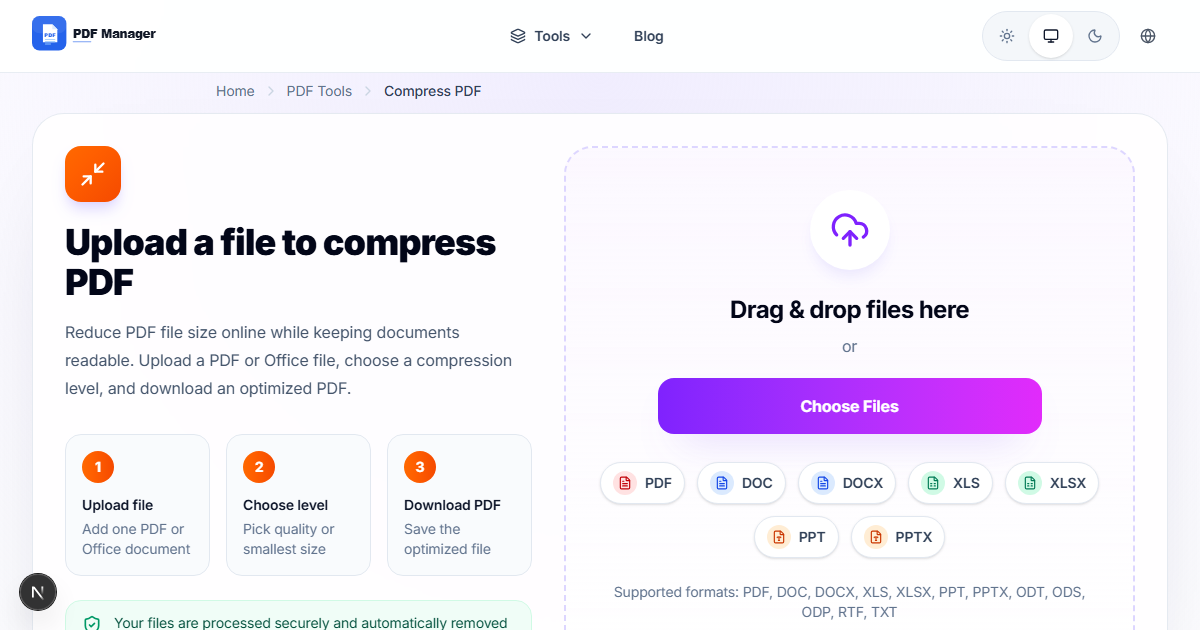
PDF Manager's free PDF compressor stands out for its balance of compression ratio and quality preservation. It uses advanced algorithms to reduce file size by up to 80% while keeping text razor-sharp and images visually lossless. The tool processes files directly in your browser with enterprise-grade encryption.
Desktop Compression Tools
For users who prefer offline solutions, Adobe Acrobat Pro offers professional-grade compression with customizable profiles. Ghostscript provides command-line compression for advanced users. Free tools like PDFTK and PDFsam include basic compression features. Desktop tools are ideal for sensitive documents that require local processing.
Compression Techniques Explained
PDF compression works through several techniques: image downsampling reduces image resolution, JPEG compression applies lossy compression to images, object removal strips embedded fonts and metadata, and content stream optimization compresses the PDF structure. The best tools combine these techniques intelligently based on document content.
How to Choose the Right Tool
Consider file size requirements: for email attachments, aim for under 5MB. For document archives, moderate compression preserves quality for long-term storage. For web uploads, maximum compression reduces bandwidth. Choose online tools for convenience and desktop tools for sensitive documents that must remain local.
Frequently Asked Questions
Can I compress a PDF without losing quality for free?
Yes, PDF Manager and other top tools use smart compression that preserves text clarity and image quality. At moderate compression levels, quality loss is imperceptible to the human eye.
How much can I compress a PDF?
Typical compression ranges from 30% to 80% depending on content. Image-heavy PDFs compress more than text-only documents. PDF Manager averages 50-70% reduction on mixed content files.
What is the best compression level?
Medium compression is recommended for most use cases, balancing file size reduction with quality preservation. Use low compression for documents with important graphics and high compression for text-heavy internal documents.
Are online PDF compressors safe?
Reputable services use SSL encryption and automatically delete uploaded files within minutes to hours of processing. Always check the privacy policy before uploading sensitive documents.
How does PDF compression work?
Compression reduces file size by optimizing images, removing redundant data, compressing content streams, and stripping unnecessary elements like duplicate fonts or metadata that are not essential for viewing.
Can I compress multiple PDFs at once?
Some tools offer batch processing. PDF Manager processes one file at a time for free. Desktop tools like Adobe Acrobat Pro and Ghostscript support batch compression for multiple files simultaneously.
Related Tools
Combine compression with Merge PDF to consolidate files before reducing size, or use Split PDF to divide large documents before compressing individual sections.
Start Compressing Now
Try the best free PDF compressor online. No registration needed, and your files are automatically deleted after processing.
Why Use PDF Manager
Built for quick conversions
The core tools are designed to get users from upload to result with minimal friction.
Made for practical workflows
Move from one document step to the next without hunting through a confusing tool library.
Simple and trustworthy
Clear states, secure handling, and polished result screens make the workflow easy to trust.

Umar Draz
Document Tools Specialist
Software engineer with 5+ years building document processing tools. Created PDF Manager to make PDF tools accessible to everyone. Tests every feature with real-world documents before release.
- 5+ years in document processing
- Built PDF Manager from scratch
- Tested 10,000+ PDF workflows
Ready to use the tool?
Open the tool page and follow the same workflow from this guide inside a conversion experience built for fast results.
Related Tools
Useful next steps around the same document workflow.
Related Articles
Continue with nearby guides that support the same conversion path.
From PDF
How to Convert PDF to Word Without Losing Formatting
Turn PDFs into editable Word documents while preserving structure, spacing, tables, and readable layout.
To PDF
How to Convert Word to PDF (Free & Fast)
A clean guide to turning Word documents into PDFs quickly for sharing, printing, and final delivery.
Quick Answers
Can I compress a PDF without losing quality for free?
Yes, PDF Manager and other top tools use smart compression that preserves text clarity and image quality. At moderate compression levels, quality loss is imperceptible to the human eye.
How much can I compress a PDF?
Typical compression ranges from 30% to 80% depending on content. Image-heavy PDFs compress more than text-only documents. PDF Manager averages 50-70% reduction on mixed content files.
What is the best compression level?
Medium compression is recommended for most use cases, balancing file size reduction with quality preservation. Use low compression for documents with important graphics and high compression for text-heavy internal documents.
Are online PDF compressors safe?
Reputable services use SSL encryption and automatically delete uploaded files within minutes to hours of processing. Always check the privacy policy before uploading sensitive documents.
How does PDF compression work?
Compression reduces file size by optimizing images, removing redundant data, compressing content streams, and stripping unnecessary elements like duplicate fonts or metadata that are not essential for viewing.
Can I compress multiple PDFs at once?
Some tools offer batch processing. PDF Manager processes one file at a time for free. Desktop tools like Adobe Acrobat Pro and Ghostscript support batch compression for multiple files simultaneously.