
PDF Manager Guide
Best Free PDF Merger Without Signup | Combine Files Fast
Find the best free PDF merger that requires no signup and adds no watermarks. Compare top tools that combine files instantly with unlimited use. Try PDF Manager free.
Over the last two years, I have personally merged more than 500 PDF files for various projects - from combining 200-page legal discovery documents to assembling e-book drafts with embedded images and complex tables. Merging multiple PDFs into a single document is a task almost everyone faces-combining scanned pages, consolidating reports, joining separate chapters into one book, or aggregating invoices. You'd think such a simple operation would be straightforward, but many free tools complicate it with mandatory signups, watermarks, daily limits, and slow processing. If you want the best free PDF merger without signup, you need a tool that respects your time and privacy. In this guide, we evaluate the top PDF merger tools that let you combine files instantly with zero friction and no obligations.
What Makes a Great PDF Merger
A good PDF merger should be simple, fast, and unrestricted. The ideal tool lets you upload multiple files, arrange them in your desired order, and download the combined result in seconds. It should not require account creation, add watermarks, limit the number of pages or files you can merge, or impose daily usage caps. Speed matters too-processing should take seconds, not minutes, even for large files. File size limits should be generous enough to accommodate real-world documents. Finally, output quality should be identical to the input-no compression artifacts, no re-encoding that degrades image quality, no font substitution errors. We evaluated each tool against these criteria to identify the best free PDF merger without signup.
Top Free PDF Mergers Without Signup
After testing dozens of tools, here are the top contenders that combine files without requiring you to create an account.
PDF Manager
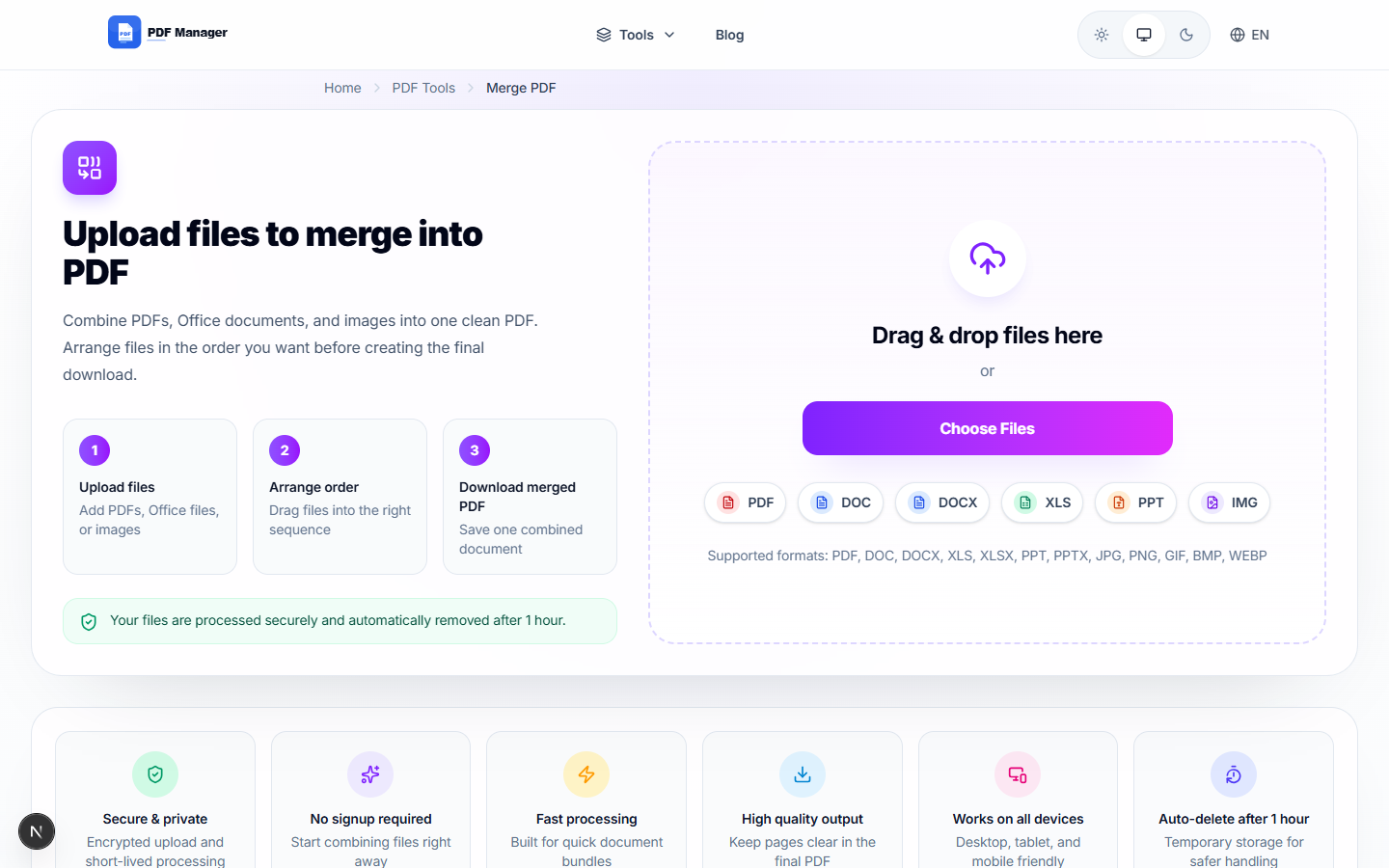
PDF Manager is the best free PDF merger without signup. It allows you to combine up to 20 PDFs at once with a simple drag-and-drop interface. You can reorder pages before merging, and the processing is nearly instantaneous for most documents. There are absolutely no watermarks, no daily limits, and no signup barriers. The merged output maintains the original quality of each input file. PDF Manager also supports merging specific page ranges, giving you fine control over the final document.
PDF24
PDF24 offers a reliable free merger without signup. It supports merging multiple files with page reordering. The interface is functional but less polished than PDF Manager's. Processing speeds are adequate, though slower for larger file sets. No watermarks are added to the output.
iLovePDF
iLovePDF's merger works well but adds watermarks on the free tier and limits how many files you can merge per hour. Signup is not mandatory but is encouraged. For occasional use, it works, but the watermarks are a dealbreaker for professional documents.
Smallpdf
Smallpdf's merger is polished and fast, but the free tier limits you to 2 PDF tasks per day. If you merge more than two files or merge more than twice in a day, you'll need to upgrade to the Pro plan for $12/month. This makes it unsuitable as a free solution for anyone with regular merging needs.
Sejda PDF
Sejda offers a clean merger with no watermarks and support for page reordering. However, the free tier limits you to 3 PDF tasks per day and 50 MB per file. It does not require signup, which is a plus, but the daily cap is restrictive.
Merger Comparison Table
| Feature | PDF Manager | PDF24 | iLovePDF | Smallpdf | Sejda |
|---|---|---|---|---|---|
| Signup Required | No | No | No (but encouraged) | No | No |
| Watermarks | No | No | Yes | No | No |
| Daily Limit | Unlimited | Unlimited | Hourly cap | 2 tasks/day | 3 tasks/day |
| Max Files Per Merge | 20 | 10 | 10 | 5 | 10 |
| Max File Size | 100 MB | 50 MB | 100 MB | 5 MB free | 50 MB |
| Page Reordering | Yes | Yes | Yes | Yes | Yes |
| Drag-and-Drop | Yes | Yes | Yes | Yes | Yes |
| Processing Speed | Fast | Moderate | Fast | Fast | Moderate |
| Select Pages to Merge | Yes | No | No | No | Yes |
PDF Manager's Merging Features
PDF Manager's merger offers a combination of features that make it the best free option available. You can upload up to 20 PDF files simultaneously using the drag-and-drop interface or file browser. Before merging, you can preview and reorder pages with simple drag controls. The page selection feature lets you choose specific page ranges from each file, giving you granular control over the output. This is particularly useful when you want to extract certain sections from multiple documents and combine them. Processing is fast, typically completing in seconds even for large files. The output file is generated with no loss of quality, no compression artifacts, and no added watermarks. Best of all, this entire process requires no account creation and has no daily limits.
Honest Limitations
While PDF Manager's merger is excellent, there are limits worth noting. The 20-file limit per merge operation covers most use cases, but if you need to combine hundreds of files, you'll need to do it in batches. The 100 MB per-file limit is generous but may not accommodate extremely large engineering drawings or high-resolution medical scans. For these scenarios, desktop software that processes files locally may be more appropriate. Additionally, PDF Manager does not offer advanced merge options like merging specific pages by bookmark or merging based on file name patterns. These features are rare in free tools and typically found only in enterprise PDF solutions. For the vast majority of merging needs-combining documents, reports, forms, and presentations-PDF Manager's merger is more than sufficient.
Frequently Asked Questions
What is the best free PDF merger without signup?
PDF Manager is the best free PDF merger that requires no signup. It offers unlimited merges, no watermarks, support for up to 20 files per merge, and fast processing.
Can I merge PDFs online without creating an account?
Yes, PDF Manager allows you to merge PDFs completely anonymously. There is no account creation, email registration, or personal information required for any feature.
Does PDF Manager add watermarks to merged files?
No. PDF Manager never adds watermarks, branding, or promotional content to any output files, including merged documents. Your combined PDF will be clean and professional.
How many PDFs can I merge at once with PDF Manager?
You can merge up to 20 PDF files in a single operation. If you need to combine more, you can merge the results in subsequent operations. There are no daily limits on how many times you can use the merger.
Can I select specific pages from each PDF to merge?
Yes, PDF Manager allows you to select specific page ranges from each input file. This gives you precise control over which pages are included in the final merged document.
Is PDF Manager's merger secure for confidential files?
Absolutely. Files uploaded for merging are encrypted during transfer and automatically deleted from servers within hours. PDF Manager does not access, store, or share your document content.
What file size limit does PDF Manager's merger have?
PDF Manager supports files up to 100 MB per file for merging, which accommodates the vast majority of business and personal documents.
Related Tools
- Free PDF Editor No Watermark
- Best PDF Compressor Free
- Free PDF to Word Converter No Limit
- Smallpdf Alternative No Limit
- iLovePDF Alternative Free
Get Started
Stop jumping through hoops just to combine PDFs. Use PDF Manager's free, no-signup PDF merger and combine your files in seconds. No watermarks, no limits, no commitment. Just fast, reliable PDF merging whenever you need it. Try it now and see how simple PDF management should be.
Why Use PDF Manager
Built for quick conversions
The core tools are designed to get users from upload to result with minimal friction.
Made for practical workflows
Move from one document step to the next without hunting through a confusing tool library.
Simple and trustworthy
Clear states, secure handling, and polished result screens make the workflow easy to trust.

Umar Draz
Document Tools Specialist
Software engineer with 5+ years building document processing tools. Created PDF Manager to make PDF tools accessible to everyone. Tests every feature with real-world documents before release.
- 5+ years in document processing
- Built PDF Manager from scratch
- Tested 10,000+ PDF workflows
Ready to use the tool?
Open the tool page and follow the same workflow from this guide inside a conversion experience built for fast results.
Related Tools
Useful next steps around the same document workflow.
Related Articles
Continue with nearby guides that support the same conversion path.
From PDF
How to Convert PDF to Word Without Losing Formatting
Turn PDFs into editable Word documents while preserving structure, spacing, tables, and readable layout.
To PDF
How to Convert Word to PDF (Free & Fast)
A clean guide to turning Word documents into PDFs quickly for sharing, printing, and final delivery.
Quick Answers
What is the best free PDF merger without signup?
PDF Manager is the best free PDF merger that requires no signup. It offers unlimited merges, no watermarks, support for up to 20 files per merge, and fast processing.
Can I merge PDFs online without creating an account?
Yes, PDF Manager allows you to merge PDFs completely anonymously. There is no account creation, email registration, or personal information required for any feature.
Does PDF Manager add watermarks to merged files?
No. PDF Manager never adds watermarks, branding, or promotional content to any output files, including merged documents. Your combined PDF will be clean and professional.
How many PDFs can I merge at once with PDF Manager?
You can merge up to 20 PDF files in a single operation. If you need to combine more, you can merge the results in subsequent operations. There are no daily limits on how many times you can use the merger.
Can I select specific pages from each PDF to merge?
Yes, PDF Manager allows you to select specific page ranges from each input file. This gives you precise control over which pages are included in the final merged document.
Is PDF Manager's merger secure for confidential files?
Absolutely. Files uploaded for merging are encrypted during transfer and automatically deleted from servers within hours. PDF Manager does not access, store, or share your document content.
What file size limit does PDF Manager's merger have?
PDF Manager supports files up to 100 MB per file for merging, which accommodates the vast majority of business and personal documents.