
PDF Manager Guide
Best Free Tools for Office Documents | Complete Office Toolkit
Discover the best free tools for office documents.
Best Free Tools for Office Documents in 2026
Managing office documents efficiently is essential for students, professionals, and businesses. From converting file formats to compressing large documents for email, having the right tools can save hours of work every week.
In this guide, we explore the best free tools for office documents and show how PDF Manager provides a complete toolkit for all your document needs.
Essential PDF Tools
PDF is the most common document format in business and education. Here are the must-have PDF tools:
- Merge PDF — Combine multiple PDF files into a single document. Perfect for assembling reports, portfolios, and multi-chapter documents.
- Split PDF — Separate large PDFs into smaller files. Ideal for extracting chapters or sharing specific sections.
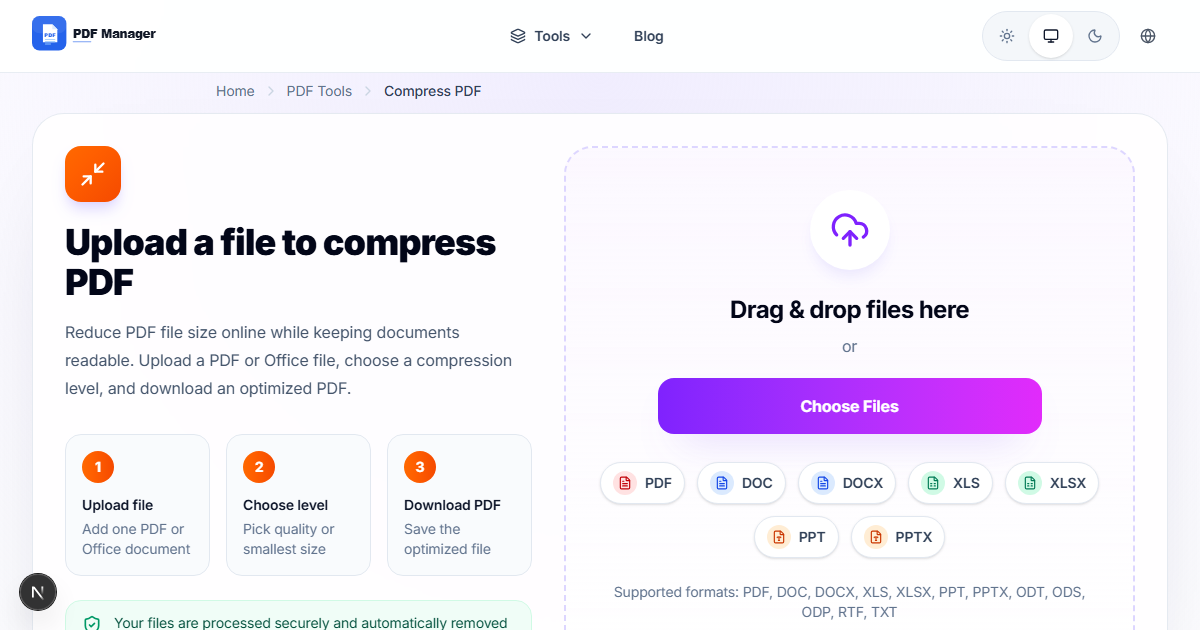
- Compress PDF — Reduce file size by up to 90% for easy email attachment and cloud storage.
- Extract Pages — Pull specific pages from a PDF to create focused documents.
- Delete Pages — Remove unwanted pages from a PDF quickly.
- Rotate PDF — Fix incorrectly oriented pages in your documents.

Document Conversion Tools
Converting between file formats is one of the most common office tasks:
- PDF to Word — Convert PDFs to editable DOCX documents.
- Word to PDF — Convert Word documents to PDF for sharing.
- PDF to Excel — Extract tables and data from PDFs into spreadsheets.
- Excel to PDF — Convert spreadsheets to print-ready PDFs.
- PDF to PowerPoint — Convert PDFs to editable presentations.
- PowerPoint to PDF — Convert presentations to PDF for sharing.
- JPG to PDF — Convert images to PDF documents.
- PDF to JPG — Extract images or convert pages to JPG format.
Office Workflows Made Easy
For Office Workers
- Convert meeting notes from Word to PDF for archiving
- Merge monthly reports into a single PDF
- Compress presentations before emailing to clients
- Extract specific pages from contracts for review
For Students
- Convert research papers from Word to PDF
- Combine lecture notes into study guides
- Compress assignments for email submission
- Convert textbook pages from JPG to PDF for printing
For Freelancers
- Create professional invoices in PDF format
- Merge portfolio samples into a single PDF
- Compress large files for client delivery
- Protect contracts with password encryption
Free vs Paid Document Software
Many people pay for expensive software they do not need. Here is how free tools compare to paid alternatives:
- Microsoft Office — Costs $70-100/year. PDF Manager handles all PDF-related tasks for free.
- Adobe Acrobat Pro — Costs $23/month. PDF Manager offers the same core tools without the subscription.
- DocuSign — Costs $10-25/month. PDF Manager provides PDF protection and basic document tools for free.
For most users, free tools like PDF Manager provide everything needed for daily document workflows without the cost.
Frequently Asked Questions
Are all these tools really free?
Yes, PDF Manager offers all its tools completely free with no hidden charges, no sign-up required, and no watermarks on output files.
Can I use these tools on my phone?
Yes, PDF Manager is fully responsive and works in any modern browser on desktop, tablet, and mobile devices.
Is there a limit to how many files I can process?
No, there are no daily limits or per-file restrictions. You can process as many files as you need.
Are my files safe when I upload them?
Yes, all uploaded files are automatically deleted from our servers after processing. Your documents are never stored permanently or shared with third parties.
Why Use PDF Manager
Built for quick conversions
The core tools are designed to get users from upload to result with minimal friction.
Made for practical workflows
Move from one document step to the next without hunting through a confusing tool library.
Simple and trustworthy
Clear states, secure handling, and polished result screens make the workflow easy to trust.

Umar Draz
Document Tools Specialist
Software engineer with 5+ years building document processing tools. Created PDF Manager to make PDF tools accessible to everyone. Tests every feature with real-world documents before release.
- 5+ years in document processing
- Built PDF Manager from scratch
- Tested 10,000+ PDF workflows
Ready to use the tool?
Open the tool page and follow the same workflow from this guide inside a conversion experience built for fast results.
Related Tools
Useful next steps around the same document workflow.
Related Articles
Continue with nearby guides that support the same conversion path.
From PDF
How to Convert PDF to Word Without Losing Formatting
Turn PDFs into editable Word documents while preserving structure, spacing, tables, and readable layout.
To PDF
How to Convert Word to PDF (Free & Fast)
A clean guide to turning Word documents into PDFs quickly for sharing, printing, and final delivery.
Quick Answers
Are all these tools really free?
Yes, PDF Manager offers all its tools completely free with no hidden charges, no sign-up required, and no watermarks on output files.
Can I use these tools on my phone?
Yes, PDF Manager is fully responsive and works in any modern browser on desktop, tablet, and mobile devices.
Is there a limit to how many files I can process?
No, there are no daily limits or per-file restrictions. You can process as many files as you need.
Are my files safe when I upload them?
Yes, all uploaded files are automatically deleted from our servers after processing. Your documents are never stored permanently or shared with third parties.