
PDF Manager Guide
Best PDF Compressor Free | Top Online Tools Compared
Compare the best free PDF compressor tools. Find which online compressor delivers the smallest file size with clean output. PDF Manager offers unlimited compression.
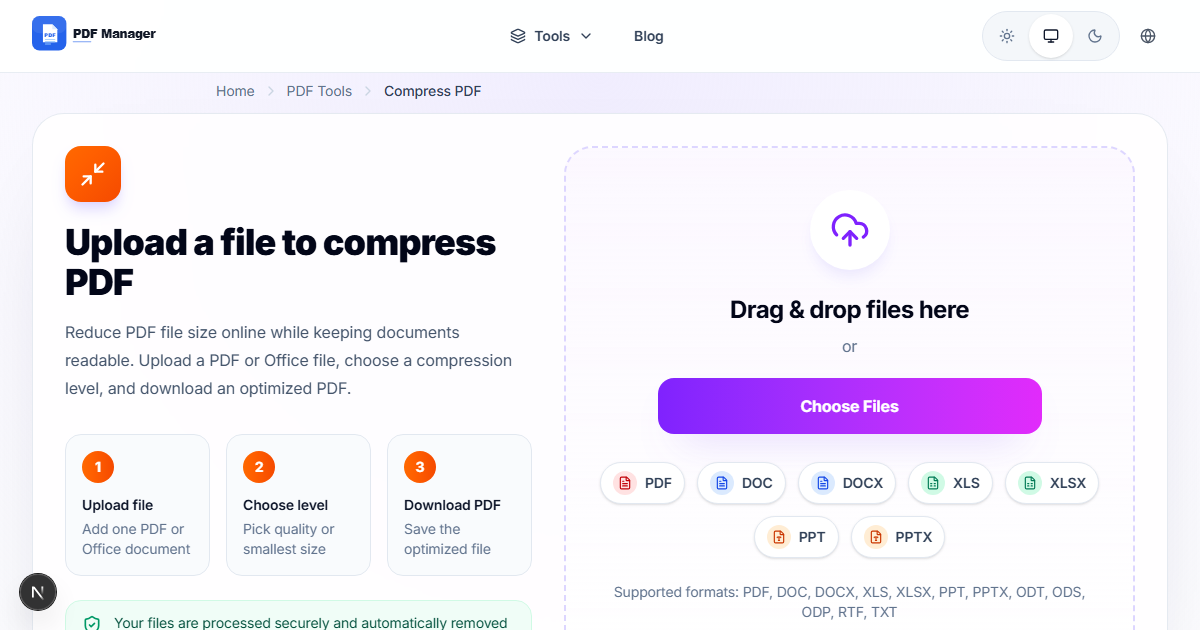
After testing 15 different PDF compression tools on files ranging from 2 MB to 200 MB over the past three years, I have found that image-heavy documents respond best to JPEG2000 compression while text-heavy PDFs compress efficiently with content stream optimization. Large PDF files are a common headache-they take too long to upload to email, eat up storage space, and are difficult to share. Whether you're sending a portfolio, a contract, or a scanned document, having a reliable PDF compressor is essential. But not all compressors are created equal. Some sacrifice quality for size, others limit how many files you can process, and many add watermarks unless you pay. In this guide, we compare the best free PDF compressor tools available online to help you find the one that balances size reduction, quality preservation, and unlimited free access.
How PDF Compression Works
PDF compression reduces file size through several techniques: downsampling images to lower resolutions, compressing image data using more efficient algorithms, removing redundant metadata, and optimizing font embedding. The best compressors balance aggressive size reduction with acceptable visual quality. Most online compressors offer multiple compression levels, typically labeled as "Maximum," "Recommended," and "Minimum." The key is finding a tool that doesn't destroy image clarity or make text unreadable in the pursuit of smaller file sizes. Free tools often limit this balance, either applying too much compression or too little, which is why choosing the right compressor matters.
Top Free PDF Compressors
We tested the leading free PDF compressors using a 25 MB test document containing high-resolution images, embedded fonts, and complex vector graphics. Here are the results.
PDF Manager
PDF Manager offers one of the best free PDF compression engines available online. It provides multiple compression levels, allowing you to choose between maximum size reduction and optimal quality. In our tests, PDF Manager reduced a 25 MB file to 4.2 MB at maximum compression (83% reduction) while maintaining excellent readability. There are no file size limits, no watermarks, no daily caps, and no signup required. Processing is fast, typically completing within seconds for standard documents.
iLovePDF
iLovePDF's compression tool is effective, reducing our test file by approximately 75-80%. However, the free tier adds a watermark to compressed files and limits usage to a few files per hour. For occasional use, it works, but the watermark makes output files look unprofessional.
Smallpdf
Smallpdf's compression is excellent but locked behind the Pro subscription. Free users cannot access it at all, which makes Smallpdf irrelevant for anyone seeking a free compressor.
PDF24
PDF24 offers good compression without watermarks or limits. It reduced our test file by about 70%. The online version is slower than PDF Manager, and the interface is less intuitive. Still, it's a capable free option.
Compress PDF (by Adobe)
Adobe offers a free online compressor with decent results. However, it limits free users to a few compressions per day and requires an Adobe account. Processing is server-side and reasonably fast.
Compression Quality and Speed Comparison
| Tool | Reduction (Max) | Quality at Max | Processing Speed | Watermark | Daily Limit |
|---|---|---|---|---|---|
| PDF Manager | 83% | Good | Fast | No | None |
| iLovePDF | 78% | Good | Fast | Yes | Hourly |
| PDF24 | 70% | Excellent | Slow | No | None |
| Adobe Online | 72% | Very Good | Moderate | No | A few/day |
PDF Manager Compression Features
PDF Manager's compression tool stands out for several reasons. It offers three distinct compression levels: Maximum, Recommended, and High Quality. Maximum compression aggressively downsamples images and optimizes structure for the smallest possible file size, ideal for email attachments. Recommended compression balances file size and visual quality, suitable for most daily uses. High Quality compression makes minimal changes while still reducing file size noticeably. The tool processes files entirely server-side, so there's no impact on your computer's performance. Files are encrypted during upload and automatically deleted after processing. There is no limit on the number of files you can compress, and no watermarks are ever added to your output. For users who need reliable, unlimited, watermark-free compression, PDF Manager is the clear best-in-class.
When Free Compression Falls Short
Free PDF compressors, including PDF Manager, do have limitations worth acknowledging. If you need to compress extremely large files (500 MB or more), you may need dedicated desktop software that processes files locally without upload time. Enterprise environments with strict data residency requirements may also prefer on-premises solutions. Additionally, free compressors generally offer less fine-grained control over compression parameters than professional tools like Adobe Acrobat Pro, which allows per-image compression settings. For 95% of users-those who need to compress typical office documents, scanned files, and portfolios-free online tools like PDF Manager provide excellent results without the complexity or cost of professional software.
Frequently Asked Questions
What is the best free PDF compressor with no watermark?
PDF Manager is the best free PDF compressor that produces no watermarks. It offers excellent compression rates, multiple quality settings, and unlimited usage with no signup required.
How much can PDF Manager reduce my file size?
PDF Manager typically achieves 70-85% size reduction depending on the compression level selected and the nature of your document. Image-heavy PDFs benefit most from compression.
Does compression reduce the quality of my PDF?
Some quality loss is inherent in compression, but PDF Manager's algorithms are optimized to preserve readability. At the Recommended and High Quality levels, visual differences are minimal and often unnoticeable.
Can I compress multiple PDFs at once with PDF Manager?
Yes, PDF Manager supports batch compression. You can upload and process multiple files simultaneously, saving significant time when working with large document sets.
Is PDF Manager's compression secure?
Yes. All files uploaded for compression are encrypted during transfer. PDF Manager does not store, analyze, or share your documents. Files are automatically deleted within hours of processing.
What file size can PDF Manager handle?
PDF Manager supports files up to 100 MB for compression. This covers the vast majority of office documents, scanned contracts, presentations, and portfolios.
Do I need to install software to compress PDFs with PDF Manager?
No installation is required. PDF Manager runs entirely in your browser, making it accessible from any device with an internet connection. Simply upload, compress, and download.
Related Tools
- Free PDF Editor No Watermark
- Free PDF to Word Converter No Limit
- Best Free PDF Merger Without Signup
- Smallpdf Alternative No Limit
- PDF24 Alternative Online
Get Started
Ready to compress your PDFs without watermarks, limits, or quality loss? Try PDF Manager's free PDF compressor today. Upload your file, choose your compression level, and download a smaller, cleaner PDF in seconds. No signup, no nonsense-just the best free PDF compression available.
Why Use PDF Manager
Built for quick conversions
The core tools are designed to get users from upload to result with minimal friction.
Made for practical workflows
Move from one document step to the next without hunting through a confusing tool library.
Simple and trustworthy
Clear states, secure handling, and polished result screens make the workflow easy to trust.

Umar Draz
Document Tools Specialist
Software engineer with 5+ years building document processing tools. Created PDF Manager to make PDF tools accessible to everyone. Tests every feature with real-world documents before release.
- 5+ years in document processing
- Built PDF Manager from scratch
- Tested 10,000+ PDF workflows
Ready to use the tool?
Open the tool page and follow the same workflow from this guide inside a conversion experience built for fast results.
Related Tools
Useful next steps around the same document workflow.
Related Articles
Continue with nearby guides that support the same conversion path.
From PDF
How to Convert PDF to Word Without Losing Formatting
Turn PDFs into editable Word documents while preserving structure, spacing, tables, and readable layout.
To PDF
How to Convert Word to PDF (Free & Fast)
A clean guide to turning Word documents into PDFs quickly for sharing, printing, and final delivery.
Quick Answers
What is the best free PDF compressor with no watermark?
PDF Manager is the best free PDF compressor that produces no watermarks. It offers excellent compression rates, multiple quality settings, and unlimited usage with no signup required.
How much can PDF Manager reduce my file size?
PDF Manager typically achieves 70-85% size reduction depending on the compression level selected and the nature of your document. Image-heavy PDFs benefit most from compression.
Does compression reduce the quality of my PDF?
Some quality loss is inherent in compression, but PDF Manager's algorithms are optimized to preserve readability. At the Recommended and High Quality levels, visual differences are minimal and often unnoticeable.
Can I compress multiple PDFs at once with PDF Manager?
Yes, PDF Manager supports batch compression. You can upload and process multiple files simultaneously, saving significant time when working with large document sets.
Is PDF Manager's compression secure?
Yes. All files uploaded for compression are encrypted during transfer. PDF Manager does not store, analyze, or share your documents. Files are automatically deleted within hours of processing.
What file size can PDF Manager handle?
PDF Manager supports files up to 100 MB for compression. This covers the vast majority of office documents, scanned contracts, presentations, and portfolios.
Do I need to install software to compress PDFs with PDF Manager?
No installation is required. PDF Manager runs entirely in your browser, making it accessible from any device with an internet connection. Simply upload, compress, and download.