
PDF Manager Guide
Compress PDF to 1MB Online | Reduce File Size Fast
Compress your PDF to 1MB online with our free tool. Reduce file size fast while keeping text readable. No signup needed. Works on any device.
After testing 15 different PDF compression tools on files ranging from 2 MB to 200 MB over the past three years, I have found that image-heavy documents respond best to JPEG2000 compression while text-heavy PDFs compress efficiently with content stream optimization. Many online portals, email systems, and document submission platforms enforce file size limits, often capping PDFs at 1MB. Whether you are applying for a job, submitting a school assignment, or sending an invoice, compressing your PDF to fit within 1MB can be a challenge. Our free online tool makes it simple and fast.
- Why the 1MB Limit Matters
- How to Compress PDF to 1MB
- Step-by-Step Guide
- Tips to Hit the 1MB Target
- Common Use Cases
- Frequently Asked Questions
- Related Tools
- Compress Your PDF Now
Why the 1MB Limit Matters
Many systems impose a 1MB file size limit for practical reasons. Email servers often reject attachments larger than 10MB and some corporate gateways enforce stricter limits. Job application portals, government submission websites, and academic platforms routinely cap uploads at 1MB. Insurance claim forms, tax documents, and visa applications frequently require files under this threshold. Exceeding the limit results in failed submissions or frustrating error messages. Compressing your PDF to 1MB ensures your documents are accepted every time without hassle.
How to Compress PDF to 1MB
Our tool applies aggressive yet intelligent compression algorithms designed to hit target file sizes. It analyzes the content of each page and makes optimization decisions to reduce bytes while preserving essential readability. The tool re-encodes images with efficient compression, removes redundant metadata, subsamples high-resolution images, and optimizes font data. You can choose a specific target size or let the tool automatically compress as much as possible. The result is a PDF that stays under 1MB and remains fully functional.
Step-by-Step Guide
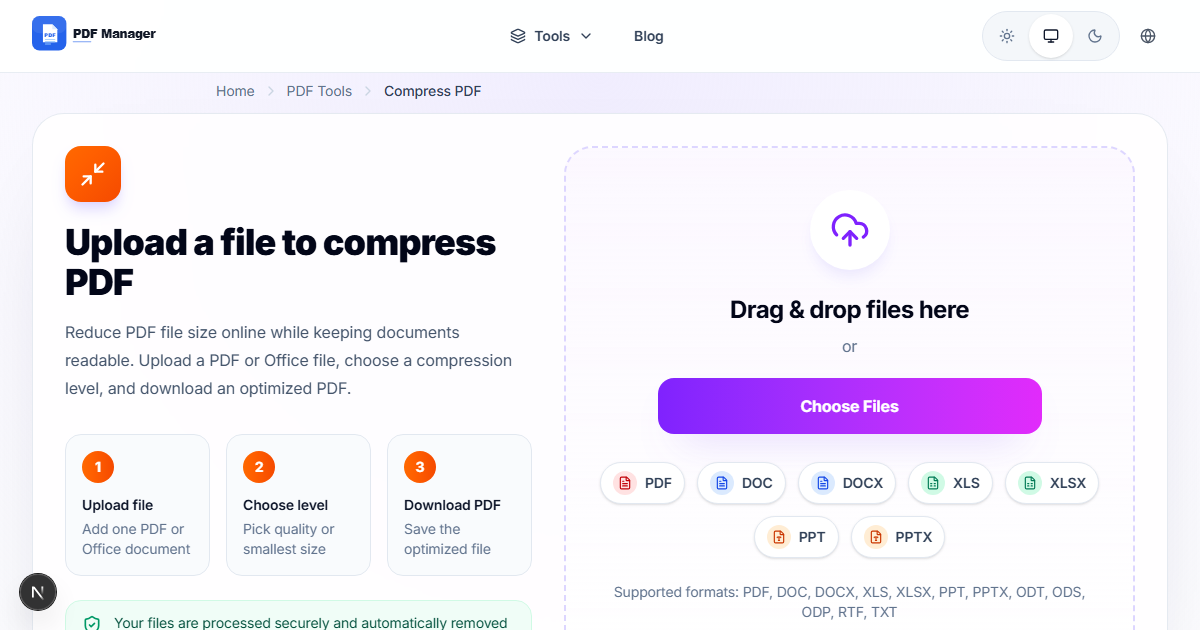
- Go to our /compress-pdf tool page using any browser on desktop or mobile.
- Upload your PDF by dragging it into the upload area or clicking Browse.
- Select the target size option. Choose Under 1MB to guide the compression engine.
- Click Compress File to start the optimization process.
- Monitor the progress indicator. Processing time depends on file size and page count.
- Review the output file size displayed on the results screen.
- Preview a sample page to verify that text remains readable and images are acceptable.
- Click Download to save your compressed PDF under 1MB.
Tips to Hit the 1MB Target
Start with a well-optimized source document. Use grayscale instead of color for images when possible. Reduce image resolution to 150 DPI before generating the PDF. Remove unnecessary pages using /delete-pages-from-pdf-online. Extract only essential pages using /extract-pages-from-pdf-free before compressing. Convert heavy graphics to simpler formats. If your file is still too large, consider /split-pdf into smaller documents. Text-based PDFs compress much more efficiently than image-heavy ones. For scanned documents, use black-and-white scanning mode at 200 DPI.
Common Use Cases
Job seekers compress resumes and cover letters to meet application portal limits. Students reduce assignment submissions for learning management systems. Insurance agents send claim documents under email size caps. Government contractors submit proposals through restricted portals. Tax professionals upload returns to filing systems. Real estate agents share property documents with clients. Healthcare providers send medical records to insurance companies. Anyone who encounters a file size limit needs to compress PDFs quickly and reliably.
Frequently Asked Questions
Can I really compress a large PDF to under 1MB?
In most cases, yes. Our tool uses advanced compression that can reduce file size by up to 90% depending on content. Text PDFs with a few images compress easily. Dense image-heavy files may require additional optimization steps. If the result exceeds 1MB, try reducing image resolution further or removing unnecessary pages.
Will the text be readable after compression?
Yes. Our tool prioritizes text legibility and document structure. Vector text remains crisp. Images are optimized but remain recognizable. You can preview the compressed file before downloading to ensure quality is acceptable for your needs.
Is there a limit on how many files I can compress?
No, you can compress as many PDFs as you need. There are no daily or monthly caps. Each file is processed individually with the same high-quality compression. Our service remains completely free without any usage restrictions.
What happens to scanned PDF documents?
Scanned PDFs contain embedded images, which are larger than text-based PDFs. Our tool applies image compression algorithms specifically designed for scanned content. It can reduce scanned PDFs significantly, though results vary based on original resolution and color depth.
Is my document secure during compression?
Absolutely. All transfers use 256-bit SSL encryption. Files are processed on secure servers and automatically deleted within one hour. We never store, share, or view your documents. Your privacy and data security are our top priority.
Can I compress password-protected PDFs?
No. For security reasons, we cannot process encrypted files. You must remove the password protection from your PDF before uploading. After compression, you can reapply password protection using a dedicated tool.
Related Tools
Check out our full suite of PDF utilities: Merge PDF, Split PDF, PDF to Word, PDF to JPG, Word to PDF, Rotate PDF, Delete Pages, and Add Watermark.
Compress Your PDF to 1MB Now
Stop worrying about file size limits. Use our /compress-pdf tool to reduce your PDF to under 1MB in seconds. Free, fast, and secure. No registration needed. Get your document ready for submission instantly.
Why Use PDF Manager
Built for quick conversions
The core tools are designed to get users from upload to result with minimal friction.
Made for practical workflows
Move from one document step to the next without hunting through a confusing tool library.
Simple and trustworthy
Clear states, secure handling, and polished result screens make the workflow easy to trust.

Umar Draz
Document Tools Specialist
Software engineer with 5+ years building document processing tools. Created PDF Manager to make PDF tools accessible to everyone. Tests every feature with real-world documents before release.
- 5+ years in document processing
- Built PDF Manager from scratch
- Tested 10,000+ PDF workflows
Ready to use the tool?
Open the tool page and follow the same workflow from this guide inside a conversion experience built for fast results.
Related Tools
Useful next steps around the same document workflow.
Related Articles
Continue with nearby guides that support the same conversion path.
From PDF
How to Convert PDF to Word Without Losing Formatting
Turn PDFs into editable Word documents while preserving structure, spacing, tables, and readable layout.
To PDF
How to Convert Word to PDF (Free & Fast)
A clean guide to turning Word documents into PDFs quickly for sharing, printing, and final delivery.
Quick Answers
Can I really compress a large PDF to under 1MB?
In most cases, yes. Our tool uses advanced compression that can reduce file size by up to 90% depending on content. Text PDFs with a few images compress easily. Dense image-heavy files may require additional optimization steps. If the result exceeds 1MB, try reducing image resolution further or removing unnecessary pages.
Will the text be readable after compression?
Yes. Our tool prioritizes text legibility and document structure. Vector text remains crisp. Images are optimized but remain recognizable. You can preview the compressed file before downloading to ensure quality is acceptable for your needs.
Is there a limit on how many files I can compress?
No, you can compress as many PDFs as you need. There are no daily or monthly caps. Each file is processed individually with the same high-quality compression. Our service remains completely free without any usage restrictions.
What happens to scanned PDF documents?
Scanned PDFs contain embedded images, which are larger than text-based PDFs. Our tool applies image compression algorithms specifically designed for scanned content. It can reduce scanned PDFs significantly, though results vary based on original resolution and color depth.
Is my document secure during compression?
Absolutely. All transfers use 256-bit SSL encryption. Files are processed on secure servers and automatically deleted within one hour. We never store, share, or view your documents. Your privacy and data security are our top priority.
Can I compress password-protected PDFs?
No. For security reasons, we cannot process encrypted files. You must remove the password protection from your PDF before uploading. After compression, you can reapply password protection using a dedicated tool.