
PDF Manager Guide
Convert PDF to PowerPoint Editable | Free Online Converter
Convert PDF files to editable PowerPoint presentations for free. Transform static PDF content into customizable PPTX slides with preserved layout and formatting.
- Why Convert PDF to PowerPoint
- How PDF to PPTX Conversion Works
- Method 1: Online PDF to PowerPoint Converter
- Method 2: Adobe Acrobat Export
- Step-by-Step Guide
- Formatting Tips
- Common Use Cases
- Frequently Asked Questions
Why Convert PDF to PowerPoint
PDF files are great for distribution but difficult to edit or present from. Converting to PowerPoint allows you to customize slides, add animations, incorporate transitions, update content, and deliver engaging presentations. This is essential for teachers updating lesson materials, business professionals refining pitch decks, and students adapting research content for presentations.
How PDF to PPTX Conversion Works
Modern PDF to PowerPoint converters analyze each page of the PDF and recreate it as an editable slide. Text is extracted and made editable, images are preserved as objects, and basic formatting like font styles, colors, and positioning are maintained. Advanced converters detect text boxes, bullet points, and tables to create properly structured slides.
Method 1: Online PDF to PowerPoint Converter
PDF Manager offers a free PDF to PowerPoint converter that transforms static PDFs into editable PPTX files. The tool preserves text, images, and basic formatting while making every element editable in PowerPoint or Google Slides. No software installation is needed, and files are processed with enterprise-grade security.
Method 2: Adobe Acrobat Export
Adobe Acrobat Pro includes an Export PDF feature that converts PDFs to PowerPoint format. It offers options for preserving layout and creating editable text boxes. This desktop solution provides high-fidelity conversion for complex documents with advanced layouts.
Step-by-Step Guide
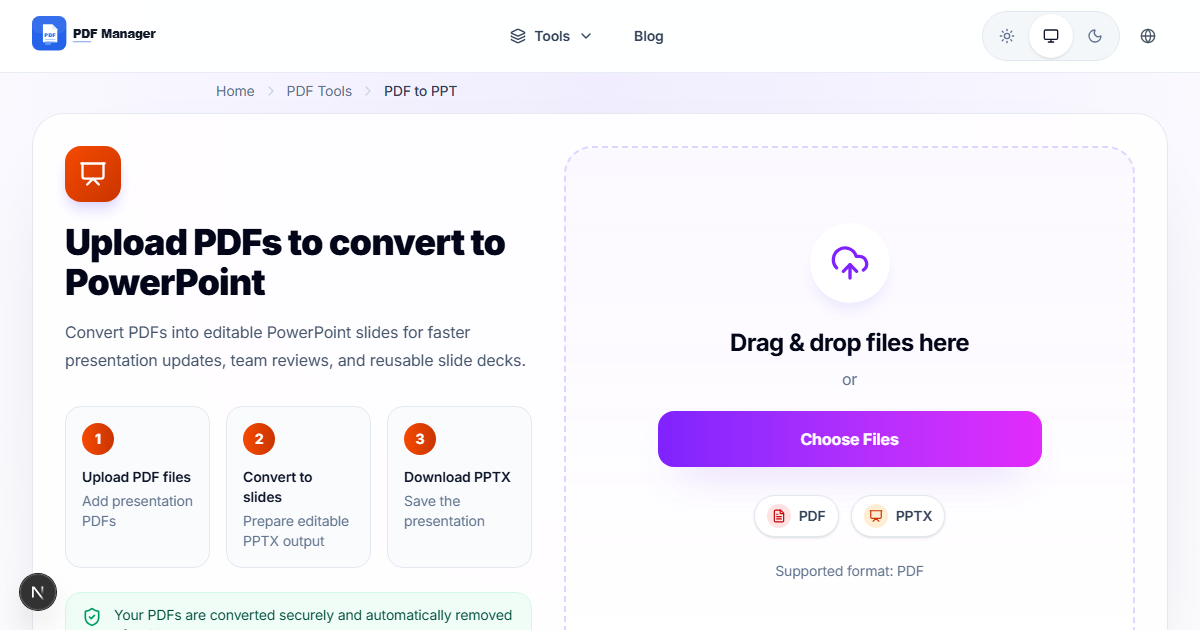
- Open your browser and go to PDF Manager's PDF to PowerPoint page.
- Click Upload and select the PDF file you want to convert.
- Select PPTX as the output format.
- Choose the conversion mode: standard or advanced layout preservation.
- Click Convert and wait for the process to complete.
- Preview the converted PowerPoint in the built-in viewer.
- Download the editable PPTX file to your device.
- Open the file in Microsoft PowerPoint or Google Slides.
- Review each slide and adjust formatting as needed.
- Add animations, transitions, and additional content as desired.
Formatting Tips
PDFs with simple layouts convert most accurately to PowerPoint. Avoid PDFs with complex overlapping elements, non-standard fonts, or intricate backgrounds. Use standard fonts like Arial or Times New Roman in the source PDF for better font mapping. After conversion, check for text overflow in text boxes and adjust font sizes accordingly.
Common Use Cases
Converting slide decks received as PDF back into editable PowerPoint for updates, transforming research papers into presentation slides, adapting training manuals into training presentations, converting infographics and data sheets into shareable slides, and repurposing marketing collateral for presentations.
Frequently Asked Questions
Can I convert PDF to PowerPoint for free?
Yes, PDF Manager offers a free online PDF to PowerPoint converter that handles most standard PDFs without any cost. No credit card or registration is required.
Will the conversion preserve animations and transitions?
PDF files do not support animations or slide transitions, so these cannot be preserved. After conversion, you can add animations and transitions in PowerPoint to enhance your presentation.
How accurate is the layout preservation?
Simple layouts with clear text boxes and images convert with high accuracy. Complex layouts with overlapping elements, tables, or columns may require manual adjustment after conversion.
Can I convert scanned PDFs to PowerPoint?
Yes, PDF Manager's converter includes OCR capabilities that can recognize text in scanned PDFs and convert them to editable PowerPoint slides. However, scanned content converts as text boxes rather than native PPTX elements.
What is the maximum file size for conversion?
PDF Manager supports files up to 100MB for PDF to PowerPoint conversion. For larger files, consider splitting the PDF into smaller sections before conversion.
Can I convert multiple PDFs to PowerPoint at once?
PDF Manager processes one file at a time on the free tier. For batch conversion, you can use desktop tools like Adobe Acrobat Pro that support processing multiple files simultaneously.
Related Tools
Convert PDF to Word for text editing, PDF to Excel for data extraction, and use Compress PDF to reduce file size before conversion.
Convert PDF to PowerPoint Now
Transform your PDFs into editable presentations with our free PDF to PowerPoint converter. No signup needed, and your files are automatically deleted after processing.
Why Use PDF Manager
Built for quick conversions
The core tools are designed to get users from upload to result with minimal friction.
Made for practical workflows
Move from one document step to the next without hunting through a confusing tool library.
Simple and trustworthy
Clear states, secure handling, and polished result screens make the workflow easy to trust.

Umar Draz
Document Tools Specialist
Software engineer with 5+ years building document processing tools. Created PDF Manager to make PDF tools accessible to everyone. Tests every feature with real-world documents before release.
- 5+ years in document processing
- Built PDF Manager from scratch
- Tested 10,000+ PDF workflows
Ready to use the tool?
Open the tool page and follow the same workflow from this guide inside a conversion experience built for fast results.
Related Tools
Useful next steps around the same document workflow.
Related Articles
Continue with nearby guides that support the same conversion path.
From PDF
How to Convert PDF to Word Without Losing Formatting
Turn PDFs into editable Word documents while preserving structure, spacing, tables, and readable layout.
To PDF
How to Convert Word to PDF (Free & Fast)
A clean guide to turning Word documents into PDFs quickly for sharing, printing, and final delivery.
Quick Answers
Can I convert PDF to PowerPoint for free?
Yes, PDF Manager offers a free online PDF to PowerPoint converter that handles most standard PDFs without any cost. No credit card or registration is required.
Will the conversion preserve animations and transitions?
PDF files do not support animations or slide transitions, so these cannot be preserved. After conversion, you can add animations and transitions in PowerPoint to enhance your presentation.
How accurate is the layout preservation?
Simple layouts with clear text boxes and images convert with high accuracy. Complex layouts with overlapping elements, tables, or columns may require manual adjustment after conversion.
Can I convert scanned PDFs to PowerPoint?
Yes, PDF Manager's converter includes OCR capabilities that can recognize text in scanned PDFs and convert them to editable PowerPoint slides. However, scanned content converts as text boxes rather than native PPTX elements.
What is the maximum file size for conversion?
PDF Manager supports files up to 100MB for PDF to PowerPoint conversion. For larger files, consider splitting the PDF into smaller sections before conversion.
Can I convert multiple PDFs to PowerPoint at once?
PDF Manager processes one file at a time on the free tier. For batch conversion, you can use desktop tools like Adobe Acrobat Pro that support processing multiple files simultaneously.