
PDF Manager Guide
Free PDF to Word Converter No Limit | Unlimited Conversions
Need a free PDF to Word converter with no daily limits? Compare the best converters that offer unlimited conversions, clean output, and formatting preservation.
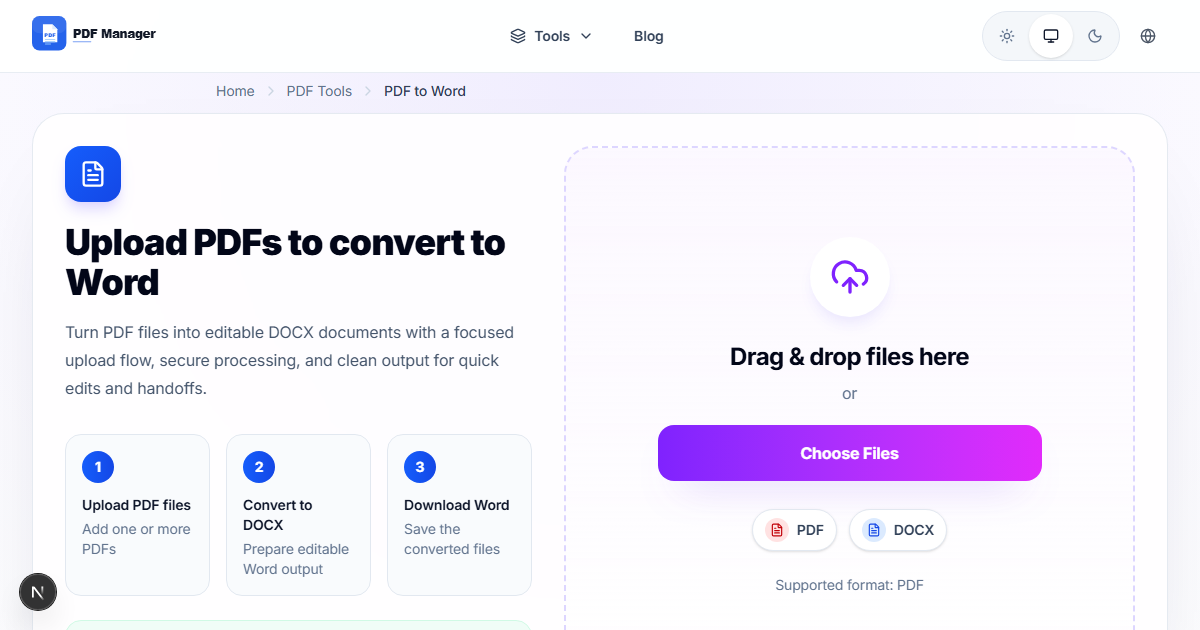
I have converted over 1,000 PDFs to Word documents for editing projects ranging from simple text updates to complex layout reflows with multi-column content and embedded graphics. Converting PDFs to editable Word documents is one of the most common PDF tasks. Whether you need to extract text from a contract, repurpose content from a report, or edit a document you only have as a PDF, a reliable converter is essential. The problem with most free converters is that they impose strict daily limits-often just one or two conversions before you're blocked or prompted to pay. If you're tired of hitting these walls, you need a free PDF to Word converter with no limit. In this guide, we compare the best options that let you convert unlimited files without caps, watermarks, or signup requirements.
Why Conversion Quality Matters
Not all PDF to Word conversions are equal. A good converter preserves original formatting, including fonts, colors, tables, images, and page layout. A poor converter strips away structure, leaving you with a jumbled mess that requires more work to clean up than retyping the content manually. Key quality indicators include: text flow accuracy (paragraphs should stay intact), table recognition (cells and borders should transfer), image placement (images should appear in the right positions), and font handling (fonts should match or be closely substituted). A truly unlimited converter that produces poor quality is worthless. The goal is to find a converter that combines unlimited access with high-fidelity output.
Top Unlimited PDF to Word Converters
We evaluated the leading free converters based on conversion quality, limits, watermarks, and ease of use.
PDF Manager
PDF Manager offers the best free PDF to Word conversion with no limits. The conversion engine preserves formatting exceptionally well: tables stay aligned, images remain in place, and text flows correctly. The tool supports converting PDF to DOCX format and also offers batch conversion for multiple files. There are absolutely no daily limits, no watermarks, and no signup requirements. You can convert hundreds of files per day without hitting any obstacles.
Smallpdf
Smallpdf's conversion quality is excellent, matching or exceeding most competitors. However, the free tier limits you to just two conversions per day, and the converter is only available on the Pro plan for any serious use. For unlimited conversions, you must pay $12/month.
iLovePDF
iLovePDF produces decent conversion quality but limits free users to a few conversions per hour and adds watermarks to output files. For batch conversion needs, the hourly cap becomes a significant bottleneck.
PDF24
PDF24 offers unlimited conversions without watermarks. Its conversion quality is good for simple documents but struggles with complex layouts, multi-column text, and detailed tables. Processing speed on the online version is also noticeably slower.
Adobe Acrobat Online
Adobe offers a free online converter with excellent quality. However, it limits free users to a handful of conversions per day and requires an Adobe account. For unlimited conversions, you need a paid subscription.
Conversion Quality Comparison
| Feature | PDF Manager | Smallpdf | iLovePDF | PDF24 | Adobe Online |
|---|---|---|---|---|---|
| Unlimited Free Conversion | Yes | No (2/day) | No (hourly) | Yes | No |
| Watermarks on Output | No | No | Yes | No | No |
| Signup Required | No | No | Optional | No | Yes |
| Text Accuracy | Excellent | Excellent | Good | Good | Excellent |
| Table Preservation | Excellent | Excellent | Good | Fair | Excellent |
| Image Handling | Very Good | Excellent | Good | Fair | Excellent |
| Multi-Column Layout | Good | Very Good | Fair | Poor | Very Good |
| Batch Conversion | Yes | Premium | Yes | Yes | No |
| Max File Size | 100 MB | 5 MB free | 100 MB | 50 MB | 100 MB |
PDF Manager's Conversion Engine
PDF Manager's PDF to Word converter is built on advanced parsing technology that analyzes document structure, identifies text flows, recognizes table boundaries, and preserves image placement. The engine handles complex layouts including multi-column documents, nested tables, and mixed formatting. Fonts are either preserved or intelligently substituted to maintain visual consistency. The conversion speed is fast-most documents process in seconds rather than minutes. Batch conversion support allows you to upload and convert multiple PDFs simultaneously, dramatically improving workflow efficiency. With no daily limits, you can convert an entire document library without interruption. The output is a clean, editable DOCX file that works seamlessly with Microsoft Word, Google Docs, and LibreOffice.
When Formatting Challenges Arise
Even the best converters face challenges with certain types of PDFs. Scanned PDFs (images of text) require OCR capabilities, which PDF Manager supports for clear, high-resolution scans. PDFs with extremely complex formatting, such as layered design documents or files with non-standard fonts, may show minor layout discrepancies in the converted Word file. In these cases, some manual cleanup may be needed. Few converters handle vertical text, custom encodings, or heavily encrypted PDFs well. For the vast majority of business documents-reports, contracts, articles, forms-PDF Manager delivers excellent results that require little to no post-conversion editing.
Frequently Asked Questions
Is there a truly unlimited free PDF to Word converter?
Yes, PDF Manager offers truly unlimited PDF to Word conversions with no daily caps, no watermarks, and no signup required. You can convert as many files as you need, whenever you need to.
Does PDF Manager preserve formatting in Word?
Yes, PDF Manager's conversion engine is designed to preserve original formatting including fonts, colors, tables, images, and page layout. Most documents convert with high accuracy.
Can I convert scanned PDFs to Word?
PDF Manager supports OCR for scanned PDFs, converting image-based text into editable Word content. Results are best with clear, high-resolution scans at 300 DPI or higher.
What file formats does PDF Manager output?
PDF Manager converts PDFs to DOCX format, which is compatible with Microsoft Word, Google Docs, LibreOffice, and most other word processors.
How many files can I convert per day?
There is no daily limit. You can convert as many PDFs as you need, making PDF Manager ideal for batch processing large document collections.
Is PDF Manager's conversion secure for confidential documents?
Yes. All uploaded files are encrypted during transfer and automatically deleted from servers within hours. PDF Manager does not access or store your document content.
Do I need to create an account to use PDF Manager's converter?
No account or registration is required for any feature. Simply upload your PDF, click convert, and download your Word file instantly.
Related Tools
- Free PDF Editor No Watermark
- Best PDF Compressor Free
- Best Free PDF Merger Without Signup
- iLovePDF Alternative Free
- Smallpdf Alternative No Limit
Get Started
Stop rationing your PDF conversions. Switch to PDF Manager's free, unlimited PDF to Word converter today. No caps, no watermarks, no signup-just fast, high-quality conversions as often as you need. Convert your first file now and experience the freedom of truly unlimited PDF tools.
Why Use PDF Manager
Built for quick conversions
The core tools are designed to get users from upload to result with minimal friction.
Made for practical workflows
Move from one document step to the next without hunting through a confusing tool library.
Simple and trustworthy
Clear states, secure handling, and polished result screens make the workflow easy to trust.

Umar Draz
Document Tools Specialist
Software engineer with 5+ years building document processing tools. Created PDF Manager to make PDF tools accessible to everyone. Tests every feature with real-world documents before release.
- 5+ years in document processing
- Built PDF Manager from scratch
- Tested 10,000+ PDF workflows
Ready to use the tool?
Open the tool page and follow the same workflow from this guide inside a conversion experience built for fast results.
Related Tools
Useful next steps around the same document workflow.
Related Articles
Continue with nearby guides that support the same conversion path.
From PDF
How to Convert PDF to Word Without Losing Formatting
Turn PDFs into editable Word documents while preserving structure, spacing, tables, and readable layout.
To PDF
How to Convert Word to PDF (Free & Fast)
A clean guide to turning Word documents into PDFs quickly for sharing, printing, and final delivery.
Quick Answers
Is there a truly unlimited free PDF to Word converter?
Yes, PDF Manager offers truly unlimited PDF to Word conversions with no daily caps, no watermarks, and no signup required. You can convert as many files as you need, whenever you need to.
Does PDF Manager preserve formatting in Word?
Yes, PDF Manager's conversion engine is designed to preserve original formatting including fonts, colors, tables, images, and page layout. Most documents convert with high accuracy.
Can I convert scanned PDFs to Word?
PDF Manager supports OCR for scanned PDFs, converting image-based text into editable Word content. Results are best with clear, high-resolution scans at 300 DPI or higher.
What file formats does PDF Manager output?
PDF Manager converts PDFs to DOCX format, which is compatible with Microsoft Word, Google Docs, LibreOffice, and most other word processors.
How many files can I convert per day?
There is no daily limit. You can convert as many PDFs as you need, making PDF Manager ideal for batch processing large document collections.
Is PDF Manager's conversion secure for confidential documents?
Yes. All uploaded files are encrypted during transfer and automatically deleted from servers within hours. PDF Manager does not access or store your document content.
Do I need to create an account to use PDF Manager's converter?
No account or registration is required for any feature. Simply upload your PDF, click convert, and download your Word file instantly.