
PDF Manager Guide
Future of PDF Tools and AI in 2026 | PDF Technology Trends
Explore the future of PDF tools and AI in 2026.
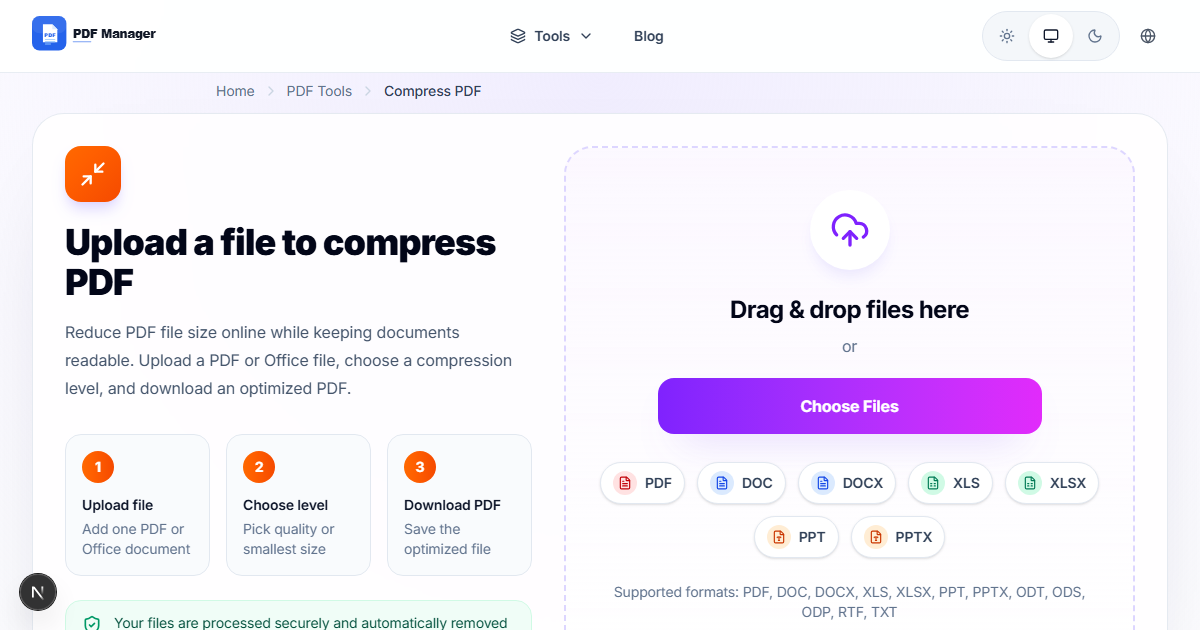
Future of PDF Tools and AI in 2026 — What to Expect
The world of document processing is evolving rapidly. Artificial intelligence is transforming how we create, edit, and manage PDF files. In this article, we explore the future of PDF tools and how AI is changing document workflows in 2026 and beyond.
From smart compression to AI-powered conversion, the next generation of PDF tools will make document management faster, smarter, and more intuitive than ever before.
AI-Powered Smart Compression
Traditional compression applies the same algorithm to every file. AI-powered compression analyzes the content of each page and applies the optimal compression strategy:
- Text-heavy pages get lossless compression to preserve readability.
- Image-heavy pages get adaptive compression that preserves visual quality where it matters.
- Mixed content pages get targeted compression for each element type.
This means smaller files with better quality — the best of both worlds.

Intelligent Format Conversion
AI is making document conversion smarter and more accurate:
- Layout recognition — AI understands complex layouts with columns, tables, and graphics, producing more accurate conversions.
- Font matching — AI identifies and matches fonts during PDF to Word conversion, preserving the original look.
- Table extraction — AI-powered table detection extracts data from PDFs into Excel with higher accuracy.
- Image enhancement — AI upscales and enhances images during conversion for better quality output.
Smart Document Editing
AI is making PDF editing more intuitive:
- Natural language commands — Tell the AI what you want to do (e.g., remove page 5, compress to under 5MB) and it handles the rest.
- Auto-redaction — AI automatically detects and redacts sensitive information like names, addresses, and account numbers.
- Smart organization — AI analyzes document content and suggests the best page order for reports and presentations.
- Content summarization — AI generates summaries of long PDF documents for quick review.
AI in Document Security
AI is enhancing PDF security in several ways:
- Threat detection — AI scans PDFs for embedded malware, phishing links, and suspicious scripts.
- Smart access control — AI recommends appropriate security levels based on document content.
- Anomaly detection — AI monitors document access patterns to detect unauthorized sharing.
Industry Trends to Watch
- Cloud-first processing — More PDF tools are moving to the cloud for faster processing and better cross-device support.
- API integration — PDF tools are becoming more accessible through APIs, allowing businesses to integrate document processing into their workflows.
- Mobile optimization — Mobile-first design is becoming the standard for PDF tools as more people work from phones.
- Open standards — The PDF format continues to evolve with new features like better accessibility and multimedia support.
How PDF Manager Is Evolving
PDF Manager is committed to staying at the forefront of PDF technology. Our roadmap includes:
- AI-powered compression for smarter file size reduction
- Improved conversion accuracy with machine learning
- Enhanced mobile experience with touch-optimized tools
- New tools for document collaboration and annotation
- API access for developers and businesses
Frequently Asked Questions
Will AI replace manual PDF editing?
AI will automate many routine PDF tasks like compression, conversion, and redaction. However, human oversight will still be important for quality control and creative decisions. AI tools will work alongside humans, not replace them.
Are AI-processed PDFs secure?
Yes, reputable PDF tools process files in secure, encrypted environments. PDF Manager automatically deletes files after processing and never stores or shares your documents.
When will AI features be available in PDF Manager?
PDF Manager is actively developing AI features. Some smart features like intelligent compression and improved conversion are already in development and will be rolled out gradually throughout 2026.
Will AI make PDF tools more expensive?
Not necessarily. As AI technology becomes more accessible, many features will remain free. PDF Manager is committed to keeping core tools free while offering premium AI features at affordable prices.
Why Use PDF Manager
Built for quick conversions
The core tools are designed to get users from upload to result with minimal friction.
Made for practical workflows
Move from one document step to the next without hunting through a confusing tool library.
Simple and trustworthy
Clear states, secure handling, and polished result screens make the workflow easy to trust.

Umar Draz
Document Tools Specialist
Software engineer with 5+ years building document processing tools. Created PDF Manager to make PDF tools accessible to everyone. Tests every feature with real-world documents before release.
- 5+ years in document processing
- Built PDF Manager from scratch
- Tested 10,000+ PDF workflows
Ready to use the tool?
Open the tool page and follow the same workflow from this guide inside a conversion experience built for fast results.
Related Tools
Useful next steps around the same document workflow.
Related Articles
Continue with nearby guides that support the same conversion path.
From PDF
How to Convert PDF to Word Without Losing Formatting
Turn PDFs into editable Word documents while preserving structure, spacing, tables, and readable layout.
To PDF
How to Convert Word to PDF (Free & Fast)
A clean guide to turning Word documents into PDFs quickly for sharing, printing, and final delivery.
Quick Answers
Will AI replace manual PDF editing?
AI will automate many routine PDF tasks like compression, conversion, and redaction. However, human oversight will still be important for quality control and creative decisions. AI tools will work alongside humans, not replace them.
Are AI-processed PDFs secure?
Yes, reputable PDF tools process files in secure, encrypted environments. PDF Manager automatically deletes files after processing and never stores or shares your documents.
When will AI features be available in PDF Manager?
PDF Manager is actively developing AI features. Some smart features like intelligent compression and improved conversion are already in development and will be rolled out gradually throughout 2026.
Will AI make PDF tools more expensive?
Not necessarily. As AI technology becomes more accessible, many features will remain free. PDF Manager is committed to keeping core tools free while offering premium AI features at affordable prices.