
PDF Manager Guide
How to Add Signature to PDF Free | Sign Documents Online
Learn how to add your signature to PDF documents for free online. Sign contracts, forms, and agreements digitally without printing or scanning anything.
- Why Sign PDFs Digitally
- Types of Digital Signatures
- Method 1: Online Signature Tool
- Method 2: Draw Your Signature
- Method 3: Upload an Image of Your Signature
- Method 4: Type Your Signature
- Step-by-Step Guide
- Legality of Digital Signatures
- Frequently Asked Questions
Why Sign PDFs Digitally
Digital signatures eliminate the need for printing, signing, scanning, and emailing physical documents. You can sign contracts, agreements, forms, and approvals entirely online, saving time, paper, and postage. Digital signatures are legally binding in most countries under eSignature laws like the ESIGN Act and eIDAS regulation.
Types of Digital Signatures
There are three common types: drawn signatures created with a mouse or touchscreen, typed signatures using stylized fonts, and uploaded images of your handwritten signature. Each type has different levels of security and legal acceptance. Electronic signatures are distinct from digital certificates which provide cryptographic verification.
Method 1: Online Signature Tool
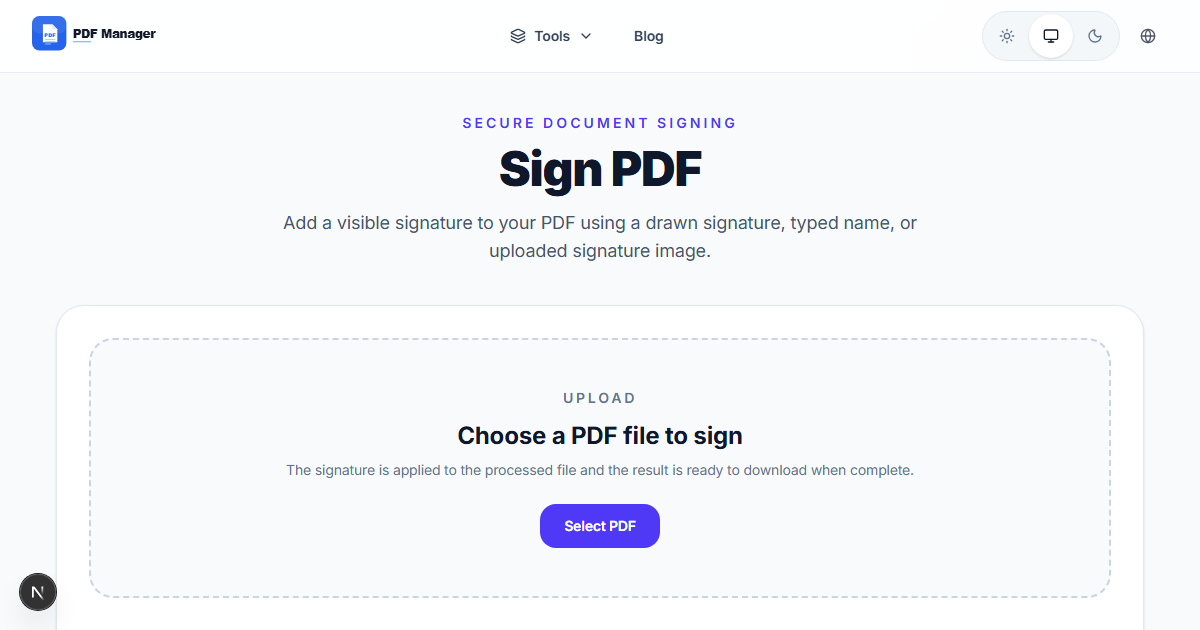
PDF Manager provides a free PDF signature tool that lets you add signatures to any PDF document. Create your signature by drawing, typing, or uploading an image, then place it anywhere on your document. The tool works entirely in your browser with no software installation required.
Method 2: Draw Your Signature
If you have a touchscreen device or a mouse, you can draw your signature directly in the browser. This captures the unique characteristics of your handwriting, creating a signature that closely resembles your physical signature. Most online signature tools include a drawing pad for this purpose.
Method 3: Upload an Image of Your Signature
Sign a piece of paper, scan or photograph the signature, and upload the image to the signature tool. The tool will remove the background and allow you to place the signature on your PDF. This method produces the most authentic-looking digital signature.
Method 4: Type Your Signature
Type your name and choose from a selection of cursive fonts to create a stylized signature. While less personal than a handwritten signature, typed signatures are quick and convenient for informal documents. Some tools allow you to save typed signatures for repeated use.
Step-by-Step Guide
- Navigate to PDF Manager's Sign PDF page.
- Upload the PDF document you need to sign.
- Click Create Signature to open the signature builder.
- Choose your signature method: Draw, Type, or Upload Image.
- Create your signature and click Apply.
- Drag the signature to the correct position on your document.
- Resize the signature if needed using the corner handles.
- Add additional text fields, date fields, or initials as needed.
- Click Finish to apply all changes.
- Download the signed PDF document to your device.
Legality of Digital Signatures
Electronic signatures created with online tools are legally binding in most jurisdictions, including the United States under the ESIGN Act, the European Union under eIDAS, and many other countries. They are admissible as evidence in court. For enhanced security, some tools offer audit trails and certificate-based signatures.
Frequently Asked Questions
Is it legal to sign PDF documents online?
Yes, electronic signatures are legally enforceable in most countries. The US ESIGN Act, EU eIDAS regulation, and similar laws worldwide recognize electronic signatures as legally binding equivalents of handwritten signatures.
Can I add a signature to PDF without any software?
Yes, online tools like PDF Manager allow you to add signatures directly in your browser without installing any software. Simply upload your PDF, create or upload your signature, and place it on the document.
Is my signed document secure?
Reputable online signature tools use SSL encryption for file uploads and downloads. Files are automatically deleted from servers after processing. For maximum security, some tools offer local browser processing where files never leave your device.
Can I reuse my saved signature?
Most online signature tools allow you to save your signature for future use. PDF Manager stores your signature locally in your browser for convenience, and you can use it on any future document without recreating it.
What file formats can I sign besides PDF?
Many signature tools also support signing Word documents, image files, and other formats by first converting them to PDF. PDF Manager's signature tool works with standard PDF documents.
Can multiple people sign the same PDF?
Yes, you can add multiple signature fields to a single document for multi-party signing. Each signer can add their signature independently, either in the same session or separately.
Related Tools
After signing, use Compress PDF to reduce file size for email, Merge PDF to combine signed pages with other documents, or PDF to Word for text extraction.
Sign Your Document Now
Add your signature to any PDF with our free online signature tool. No registration required, and your files are automatically deleted after processing.
Why Use PDF Manager
Built for quick conversions
The core tools are designed to get users from upload to result with minimal friction.
Made for practical workflows
Move from one document step to the next without hunting through a confusing tool library.
Simple and trustworthy
Clear states, secure handling, and polished result screens make the workflow easy to trust.

Umar Draz
Document Tools Specialist
Software engineer with 5+ years building document processing tools. Created PDF Manager to make PDF tools accessible to everyone. Tests every feature with real-world documents before release.
- 5+ years in document processing
- Built PDF Manager from scratch
- Tested 10,000+ PDF workflows
Ready to use the tool?
Open the tool page and follow the same workflow from this guide inside a conversion experience built for fast results.
Related Tools
Useful next steps around the same document workflow.
Related Articles
Continue with nearby guides that support the same conversion path.
From PDF
How to Convert PDF to Word Without Losing Formatting
Turn PDFs into editable Word documents while preserving structure, spacing, tables, and readable layout.
To PDF
How to Convert Word to PDF (Free & Fast)
A clean guide to turning Word documents into PDFs quickly for sharing, printing, and final delivery.
Quick Answers
Is it legal to sign PDF documents online?
Yes, electronic signatures are legally enforceable in most countries. The US ESIGN Act, EU eIDAS regulation, and similar laws worldwide recognize electronic signatures as legally binding equivalents of handwritten signatures.
Can I add a signature to PDF without any software?
Yes, online tools like PDF Manager allow you to add signatures directly in your browser without installing any software. Simply upload your PDF, create or upload your signature, and place it on the document.
Is my signed document secure?
Reputable online signature tools use SSL encryption for file uploads and downloads. Files are automatically deleted from servers after processing. For maximum security, some tools offer local browser processing where files never leave your device.
Can I reuse my saved signature?
Most online signature tools allow you to save your signature for future use. PDF Manager stores your signature locally in your browser for convenience, and you can use it on any future document without recreating it.
What file formats can I sign besides PDF?
Many signature tools also support signing Word documents, image files, and other formats by first converting them to PDF. PDF Manager's signature tool works with standard PDF documents.
Can multiple people sign the same PDF?
Yes, you can add multiple signature fields to a single document for multi-party signing. Each signer can add their signature independently, either in the same session or separately.