
PDF Manager Guide
How to Protect Important PDF Documents | PDF Security Guide
Learn how to protect PDF documents with passwords and encryption.
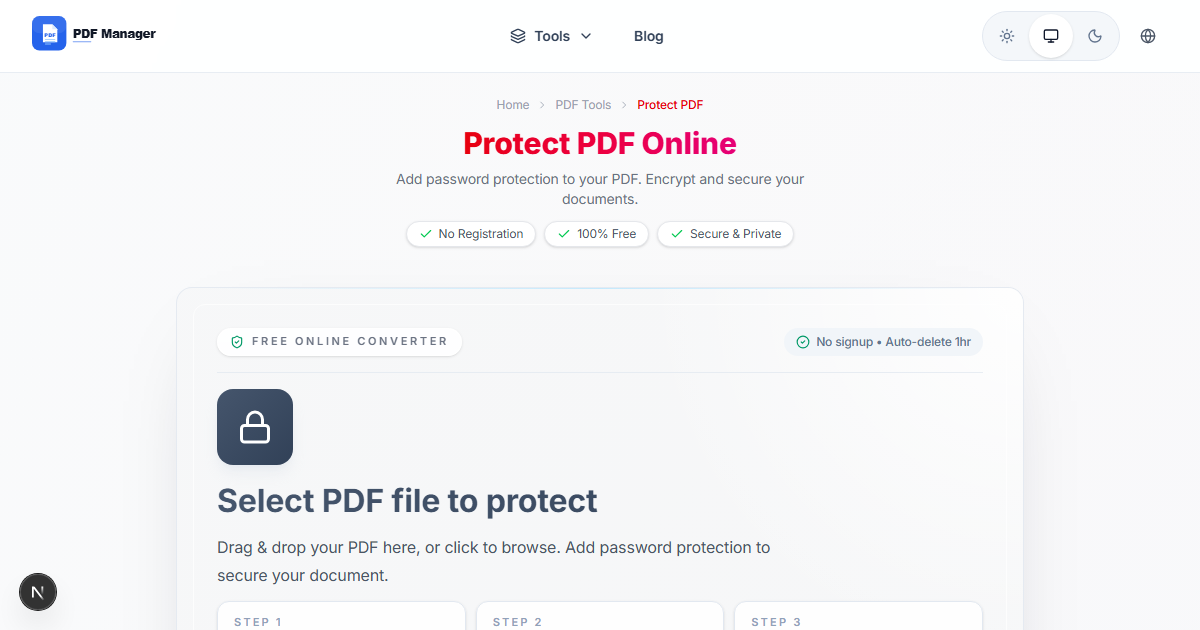
How to Protect Important PDF Documents — Free PDF Security Guide
In today's digital world, protecting sensitive documents is more important than ever. Whether you are sharing confidential business reports, personal financial statements, or legal contracts, adding password protection to your PDFs ensures only authorized people can access your information.
PDF Manager's Protect PDF tool lets you add password protection to any PDF file in seconds — completely free, with no sign-up required.
Why Protect Your PDF Documents?
Unprotected PDFs can be opened, copied, printed, and shared by anyone. Here are the main reasons to protect your files:
- Confidentiality — Keep sensitive business information, medical records, or personal data private.
- Prevent unauthorized editing — Stop others from modifying your documents without permission.
- Legal compliance — Many industries require document protection for regulatory compliance (HIPAA, GDPR, etc.).
- Intellectual property — Protect research, proposals, and creative work from unauthorized distribution.

How to Password-Protect a PDF
- Visit the Protect PDF tool page.
- Upload your PDF file by clicking or dragging it into the upload area.
- Enter a strong password when prompted.
- Click Protect to encrypt your PDF.
- Download your password-protected PDF file.
Tips for Creating Strong Passwords
- Use 12+ characters — Longer passwords are exponentially harder to crack.
- Mix character types — Combine uppercase, lowercase, numbers, and special symbols.
- Avoid personal info — Do not use birthdays, names, or common words.
- Use a password manager — Tools like Bitwarden or 1Password generate and store strong passwords securely.
- Share passwords separately — Send the password via a different channel than the PDF (e.g., text message vs email).
When to Protect PDFs
- Contracts and agreements — Ensure only the intended parties can view the terms.
- Tax documents — Protect W-2s, 1099s, and other financial filings.
- HR policies — Restrict access to employee handbooks and internal policies.
- Medical records — Comply with HIPAA by protecting patient information.
- Business proposals — Prevent competitors from accessing your proprietary strategies.
Related PDF Tools
- Unlock PDF — Remove password protection from a PDF.
- Compress PDF — Reduce file size of protected documents.
- Merge PDF — Combine multiple protected PDFs.
Frequently Asked Questions
How strong is PDF password protection?
PDF Manager uses 128-bit AES encryption, which is the industry standard for document security. This level of encryption is virtually impossible to crack with brute force attacks.
Can I remove the password later?
Yes, you can use the Unlock PDF tool to remove password protection if you know the password. This is useful when you no longer need the document to be restricted.
Will the recipient need special software to open the PDF?
No, any standard PDF viewer (Adobe Reader, web browsers, mobile PDF apps) can open password-protected PDFs. The recipient simply enters the password when prompted.
What happens if I forget the password?
If you forget the password, you will not be able to open or unlock the PDF. We recommend storing passwords in a secure password manager to avoid losing access to your documents.
Why Use PDF Manager
Built for quick conversions
The core tools are designed to get users from upload to result with minimal friction.
Made for practical workflows
Move from one document step to the next without hunting through a confusing tool library.
Simple and trustworthy
Clear states, secure handling, and polished result screens make the workflow easy to trust.

Umar Draz
Document Tools Specialist
Software engineer with 5+ years building document processing tools. Created PDF Manager to make PDF tools accessible to everyone. Tests every feature with real-world documents before release.
- 5+ years in document processing
- Built PDF Manager from scratch
- Tested 10,000+ PDF workflows
Ready to use the tool?
Open the tool page and follow the same workflow from this guide inside a conversion experience built for fast results.
Related Tools
Useful next steps around the same document workflow.
Related Articles
Continue with nearby guides that support the same conversion path.
From PDF
How to Convert PDF to Word Without Losing Formatting
Turn PDFs into editable Word documents while preserving structure, spacing, tables, and readable layout.
To PDF
How to Convert Word to PDF (Free & Fast)
A clean guide to turning Word documents into PDFs quickly for sharing, printing, and final delivery.
Quick Answers
How strong is PDF password protection?
PDF Manager uses 128-bit AES encryption, which is the industry standard for document security. This level of encryption is virtually impossible to crack with brute force attacks.
Can I remove the password later?
Yes, you can use the Unlock PDF tool to remove password protection if you know the password. This is useful when you no longer need the document to be restricted.
Will the recipient need special software to open the PDF?
No, any standard PDF viewer (Adobe Reader, web browsers, mobile PDF apps) can open password-protected PDFs. The recipient simply enters the password when prompted.
What happens if I forget the password?
If you forget the password, you will not be able to open or unlock the PDF. We recommend storing passwords in a secure password manager to avoid losing access to your documents.