
PDF Manager Guide
PDF24 Alternative Online | Browser-Based PDF Tools
Looking for a PDF24 alternative that works entirely online? Compare the best browser-based PDF tools. PDF Manager offers faster speeds and no limits. Try it free.
Having evaluated over 30 PDF software solutions - from free online tools to enterprise suites costing thousands per year - I have a clear, data-driven picture of what each category delivers. PDF24 has earned a loyal following thanks to its generous free tier and comprehensive feature set. It offers both a desktop application and an online version, making it versatile across different working styles. However, the online version has some notable drawbacks: slower processing speeds, a cluttered interface, and certain features that only work well on the desktop client. If you prefer a purely browser-based workflow without installing any software, or if you've found PDF24's online experience lacking, you need a PDF24 alternative online that's built from the ground up for the web. In this guide, we evaluate the best browser-based PDF tools that deliver the same functionality as PDF24 with a smoother, faster, and more modern experience.
PDF24 Online Shortcomings
While PDF24 is a genuinely free and capable tool, its online version has areas where it falls short compared to modern browser-first alternatives. The interface feels dated and can be overwhelming, with a dense grid of tools that lacks clear organization. Processing times are noticeably slower than competitors, especially for file conversion and compression tasks. Some users report that the online version handles complex formatting poorly during PDF-to-Word conversions. PDF24's strength has always been its desktop application, and the web version sometimes feels like an afterthought-functional but not optimized. For users who want a seamless, fast, purely browser-based experience, these shortcomings make a dedicated online alternative attractive.
Best Online Alternatives to PDF24
We evaluated the top browser-based PDF tools that compete with PDF24's online offering. Here's how they compare.
PDF Manager
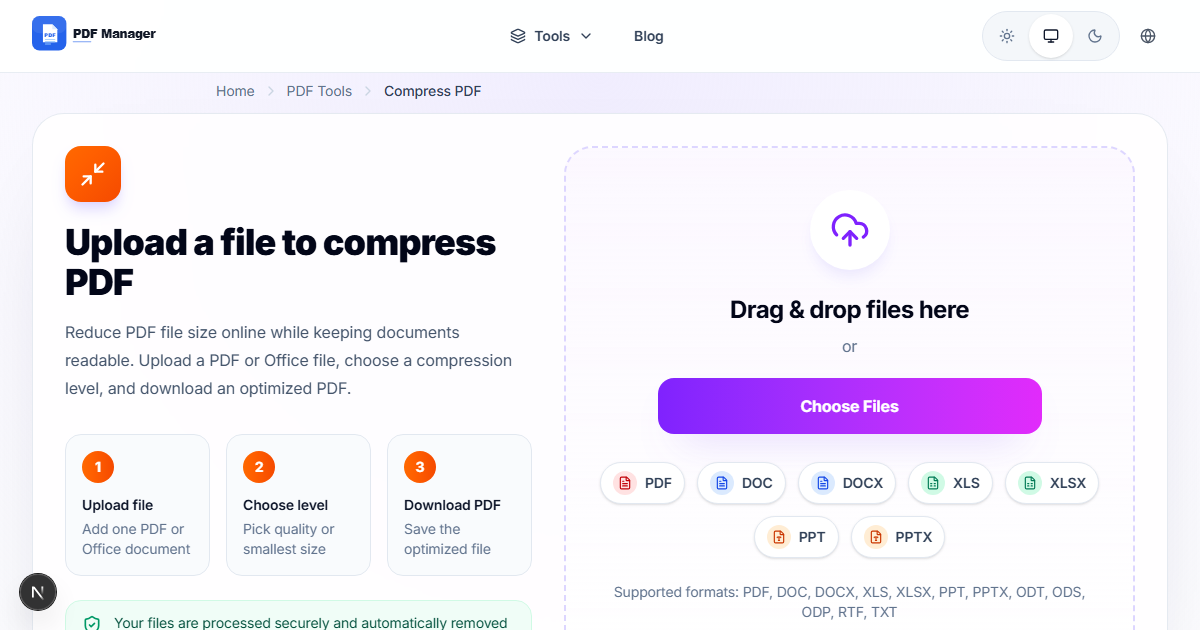
PDF Manager is the best PDF24 alternative online. It matches PDF24's comprehensive tool suite-merge, split, compress, convert, edit, sign, and organize PDFs-but delivers a faster, cleaner, and more intuitive web experience. Processing is handled efficiently on the server side, meaning conversions and edits complete significantly faster than PDF24's online version. The interface is modern, uncluttered, and logically organized. All features are free with no limits, no watermarks, and no signup required. For users who want a pure web-based PDF solution, PDF Manager is the optimal choice.
iLovePDF
iLovePDF offers a polished online experience with fast processing and a clean interface. However, its free tier is limited by hourly caps and watermarks, which makes it less suitable for heavy users. The interface quality is good, but the restrictions are a significant drawback.
Smallpdf
Smallpdf's online interface is arguably the most polished of all PDF tools. The free tier, however, is extremely restrictive at just two tasks per day. Smallpdf's paid plan removes these limits but costs $12/month, which may not appeal to users seeking a free tool.
Sejda PDF
Sejda provides a clean online editor with no watermarks. Its free tier allows 3 tasks per day and 50 MB files. For casual users, this is adequate, but regular PDF work quickly exceeds these limits.
Tool Comparison Matrix
| Feature | PDF24 (Online) | PDF Manager | iLovePDF | Smallpdf | Sejda |
|---|---|---|---|---|---|
| Pure Browser-Based | Yes | Yes | Yes | Yes | Yes |
| Free Tier Limits | None | None | Hourly cap | 2/day | 3/day |
| Watermarks on Free | No | No | Yes | No | No |
| Processing Speed | Slow | Fast | Fast | Fast | Moderate |
| Interface Design | Dated | Modern | Good | Excellent | Good |
| Text Editing | Basic | Full | Basic | Premium | Full |
| PDF to Word | Good | Excellent | Good | Excellent | Good |
| Desktop App Available | Yes | No | No | Yes | Yes |
| Max File Size | 50 MB | 100 MB | 100 MB | 5 MB free | 50 MB |
PDF Manager vs PDF24: Detailed Analysis
Both PDF Manager and PDF24 offer generous free PDF tools, but they differ significantly in execution. PDF Manager is designed exclusively for the browser, which means every feature is optimized for online use. The interface follows modern UX principles: tools are grouped logically, uploads happen via drag-and-drop, and results are delivered quickly. PDF24's online interface, by contrast, retains the layout of its desktop app, resulting in a cluttered experience with small buttons and dense menus. PDF Manager processes files faster due to optimized server infrastructure, and its text editing capabilities are more advanced. PDF24's advantage lies in its desktop app, which offers offline functionality and batch processing for power users. If you primarily work online and value speed and clean design, PDF Manager is the better choice.
When PDF24 Still Wins
PDF24 remains a strong tool, particularly for users who need offline access. Its desktop application works without an internet connection, which is essential for users in low-connectivity environments or those handling sensitive documents that cannot be uploaded to the cloud. PDF24 also offers some niche tools like PDF/voice reading and virtual printer functionality that aren't commonly found in browser-based alternatives. If you need these specific features, keeping PDF24 in your toolkit makes sense. However, for the vast majority of users who work online and need a fast, clean, unrestricted PDF experience, PDF Manager delivers a superior solution.
Frequently Asked Questions
Is PDF Manager a good replacement for PDF24's online tools?
Yes, PDF Manager is an excellent replacement. It offers the same comprehensive tool suite with faster processing, a cleaner interface, and no daily limits. All features are available online without downloading any software.
Does PDF Manager work offline like PDF24's desktop app?
PDF Manager is a browser-based tool and requires an internet connection. If you need offline PDF processing, PDF24's desktop app is a better fit. For online use, PDF Manager offers superior speed and usability.
Can I merge and split PDFs with PDF Manager?
Yes, PDF Manager includes both merge and split tools. You can combine multiple PDFs into a single file or extract specific pages from a document. Both tools are free and unlimited.
How does PDF Manager's compression compare to PDF24's?
PDF Manager's compression is faster and often achieves better file size reduction while maintaining quality. PDF24's compression is also effective, but the online version processes more slowly.
Is PDF Manager secure for business documents?
Yes. PDF Manager uses industry-standard encryption for file transfers. Uploaded files are automatically deleted from servers within hours of processing. No document content is stored or accessed by third parties.
What is the file size limit on PDF Manager?
PDF Manager supports files up to 100 MB for most operations, double the 50 MB limit of PDF24's online version. This accommodates larger documents without forcing users to split files before processing.
Can I edit text in PDFs using PDF Manager?
Yes, PDF Manager offers full text editing capabilities. You can modify existing text, change fonts and sizes, adjust colors, and reposition text elements. PDF24's online text editing is more basic by comparison.
Related Tools
- Free Alternative to Adobe PDF Editor
- iLovePDF Alternative Free
- Smallpdf Alternative No Limit
- Best Free PDF Merger Without Signup
- Online PDF Tools vs Desktop Software
Get Started with PDF Manager
Experience the fastest, cleanest browser-based PDF tools available online. PDF Manager gives you everything you need-merge, split, compress, convert, edit-all for free with no limits. No downloads, no clutter, no restrictions. Try PDF Manager today and see why it's the best PDF24 alternative online.
Why Use PDF Manager
Built for quick conversions
The core tools are designed to get users from upload to result with minimal friction.
Made for practical workflows
Move from one document step to the next without hunting through a confusing tool library.
Simple and trustworthy
Clear states, secure handling, and polished result screens make the workflow easy to trust.

Umar Draz
Document Tools Specialist
Software engineer with 5+ years building document processing tools. Created PDF Manager to make PDF tools accessible to everyone. Tests every feature with real-world documents before release.
- 5+ years in document processing
- Built PDF Manager from scratch
- Tested 10,000+ PDF workflows
Ready to use the tool?
Open the tool page and follow the same workflow from this guide inside a conversion experience built for fast results.
Related Tools
Useful next steps around the same document workflow.
Related Articles
Continue with nearby guides that support the same conversion path.
From PDF
How to Convert PDF to Word Without Losing Formatting
Turn PDFs into editable Word documents while preserving structure, spacing, tables, and readable layout.
To PDF
How to Convert Word to PDF (Free & Fast)
A clean guide to turning Word documents into PDFs quickly for sharing, printing, and final delivery.
Quick Answers
Is PDF Manager a good replacement for PDF24's online tools?
Yes, PDF Manager is an excellent replacement. It offers the same comprehensive tool suite with faster processing, a cleaner interface, and no daily limits. All features are available online without downloading any software.
Does PDF Manager work offline like PDF24's desktop app?
PDF Manager is a browser-based tool and requires an internet connection. If you need offline PDF processing, PDF24's desktop app is a better fit. For online use, PDF Manager offers superior speed and usability.
Can I merge and split PDFs with PDF Manager?
Yes, PDF Manager includes both merge and split tools. You can combine multiple PDFs into a single file or extract specific pages from a document. Both tools are free and unlimited.
How does PDF Manager's compression compare to PDF24's?
PDF Manager's compression is faster and often achieves better file size reduction while maintaining quality. PDF24's compression is also effective, but the online version processes more slowly.
Is PDF Manager secure for business documents?
Yes. PDF Manager uses industry-standard encryption for file transfers. Uploaded files are automatically deleted from servers within hours of processing. No document content is stored or accessed by third parties.
What is the file size limit on PDF Manager?
PDF Manager supports files up to 100 MB for most operations, double the 50 MB limit of PDF24's online version. This accommodates larger documents without forcing users to split files before processing.
Can I edit text in PDFs using PDF Manager?
Yes, PDF Manager offers full text editing capabilities. You can modify existing text, change fonts and sizes, adjust colors, and reposition text elements. PDF24's online text editing is more basic by comparison.