
PDF Manager Guide
Smallpdf Alternative No Limit | Free PDF Tools Online
Smallpdf limits free users to 2 tasks daily. Find the best Smallpdf alternative with no limits, no watermarks, and truly free online PDF tools. Try PDF Manager today.
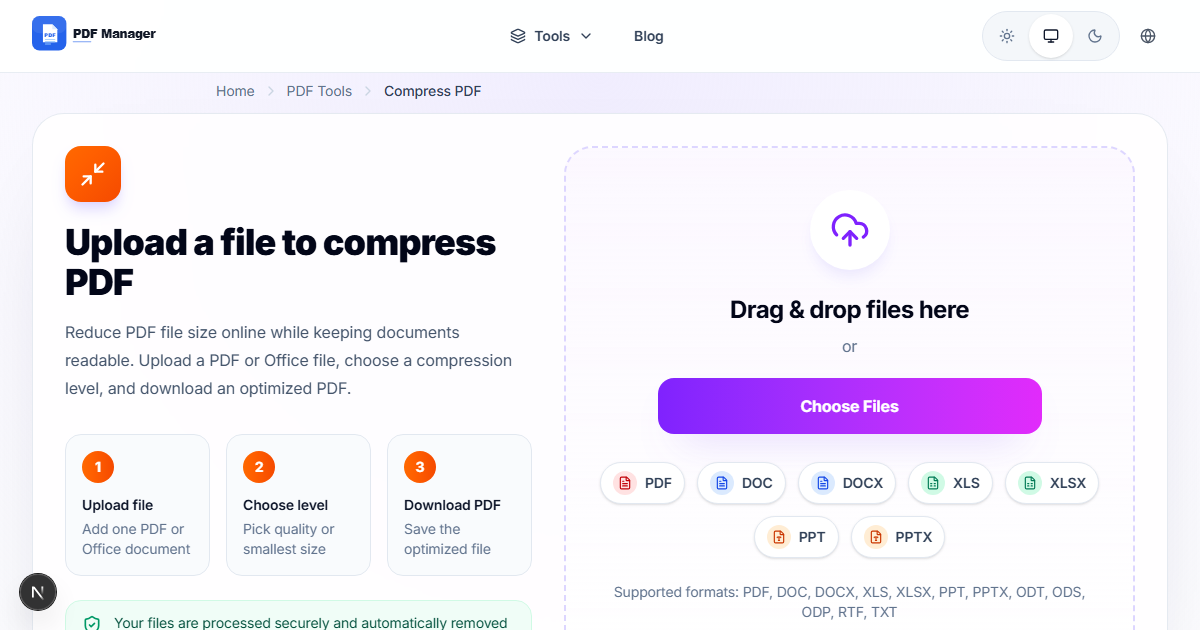
Having evaluated over 30 PDF software solutions - from free online tools to enterprise suites costing thousands per year - I have a clear, data-driven picture of what each category delivers. Smallpdf is beloved for its polished interface and reliable PDF tools. But its free tier is among the most restrictive in the industry-you're limited to just two PDF tasks per day. Hit that ceiling, and you're staring at a $12/month subscription prompt whether you like it or not. For anyone who works with PDFs regularly, this makes Smallpdf's free version practically unusable. If you're tired of counting your daily edits, you need a Smallpdf alternative with no limits. In this guide, we explore free online PDF tools that match Smallpdf's quality and ease of use while removing the artificial caps and paywalls.
Understanding Smallpdf's Limitations
Smallpdf's free plan is designed as a teaser, not a usable tool. The two-per-day limit applies across all tools-merge, compress, convert, edit, and so on. Once you perform two actions, every subsequent attempt redirects you to a pricing page. Additionally, Smallpdf imposes a 5 MB file size cap on the free tier, making it impractical for large documents or high-resolution scans. Some features, like PDF editing and compression, are entirely premium-only. While Smallpdf's paid plan is excellent, its freemium model leaves users feeling nickel-and-dimed. If you process more than a handful of PDFs per month, the free tier is essentially useless, forcing you to either pay up or find a better alternative.
Top Smallpdf Alternatives
We evaluated the best free online PDF tools to find which ones offer Smallpdf-like quality without the daily caps. Here are our findings.
PDF Manager
PDF Manager is the best Smallpdf alternative with no limit. It matches the polished user experience and tool selection that Smallpdf users love but removes every artificial restriction. There are zero daily usage caps, no file size limits for common operations, no watermarks, and no signup requirements. The tool suite includes merge, split, compress, convert, edit, rotate, and organize pages. Every tool that Smallpdf locks behind its Pro plan is freely available. The interface is similarly clean and intuitive, making the transition effortless.
iLovePDF
iLovePDF offers more generous free limits than Smallpdf but still imposes hourly caps and watermarks on output files. For users who occasionally hit Smallpdf's two-per-day wall, iLovePDF provides a bit more breathing room, though power users will eventually hit its limits too.
PDF24
PDF24 is another strong contender with genuinely free tools and no daily limits. Its online interface is functional but less polished than Smallpdf or PDF Manager. PDF24 also offers a desktop app, which is useful for offline work. The trade-off is a slightly slower processing speed and a less modern design.
Sejda PDF
Sejda offers a clean interface and no watermarks, but caps free users at three PDF tasks per day and 50 MB file size. While slightly better than Smallpdf's two-per-day limit, it still doesn't qualify as truly unlimited.
Feature Comparison
| Feature | Smallpdf (Free) | PDF Manager | iLovePDF | PDF24 | Sejda |
|---|---|---|---|---|---|
| Daily Tasks Limit | 2 tasks/day | Unlimited | 1-2 tasks/hr | Unlimited | 3 tasks/day |
| Max File Size | 5 MB | 100 MB | 100 MB | 50 MB | 50 MB |
| Watermarks | No | No | Yes | No | No |
| Signup Required | No | No | Sometimes | No | No |
| Compress PDF | Premium | Free | Free | Free | Free |
| Edit PDF | Premium | Free | Basic | Basic | Free |
| Convert PDF to Word | 2/day | Unlimited | Limited | Unlimited | 3/day |
| Merge PDF | 2/day | Unlimited | Limited | Unlimited | 3/day |
| Interface Polish | Excellent | Excellent | Good | Fair | Good |
PDF Manager Advantages Over Smallpdf
PDF Manager's primary advantage is freedom: freedom from daily caps, freedom from file size restrictions, and freedom from constant upgrade prompts. Where Smallpdf's free tier is designed to frustrate you into paying, PDF Manager's free tier is designed to serve your needs indefinitely. The tool selection is comprehensive, covering everything from basic merging to advanced text editing. Processing speeds are fast, the interface is modern and intuitive, and the output quality is professional-grade. For the estimated 90% of users whose PDF needs fall within the moderate range-a few documents per day, varying sizes, occasional editing-PDF Manager comfortably replaces Smallpdf's paid functionality at zero cost.
Honest Limitations to Consider
No tool is perfect for everyone. Smallpdf's paid plan offers some advantages worth acknowledging. Its integration with Google Drive, Dropbox, and OneDrive is more seamless than PDF Manager's current offering. Smallpdf also offers a dedicated desktop app for offline use, which may matter for users with unreliable internet. If you're processing extremely large batch jobs or need enterprise-level admin controls, Smallpdf Pro's team plan might be more appropriate. However, for individual users and small teams who want capable PDF tools without ongoing costs, PDF Manager's value proposition is unmatched. The vast majority of Smallpdf Pro features are available for free, with no daily limit, no watermark, and no signup.
Frequently Asked Questions
Is there a truly free alternative to Smallpdf with no daily limits?
Yes, PDF Manager offers a completely free PDF tool suite with no daily usage limits, no file size restrictions, and no watermarks. You can use it as much as you need without ever hitting a cap.
Why does Smallpdf limit free users to 2 tasks per day?
Smallpdf's two-task limit is designed to convert free users into paying subscribers. It's a deliberate business strategy that prioritizes lead generation over user utility. PDF Manager takes a different approach, offering full functionality for free.
Can I compress PDFs for free without limits?
With PDF Manager, yes. Compression is available as a free, unlimited tool. Smallpdf locks compression behind its Pro subscription. PDF Manager delivers high-quality compression that significantly reduces file size while maintaining readability.
Does PDF Manager work as well as Smallpdf for converting PDF to Word?
PDF Manager's PDF to Word conversion quality is comparable to Smallpdf's. Formatting, tables, images, and fonts are preserved accurately in most cases. Both tools produce clean, editable Word documents.
Do I need to create an account to use PDF Manager?
No account or signup is required for any feature. You can use PDF Manager's entire tool suite anonymously, which is a significant advantage for users who value privacy and convenience.
Can I use PDF Manager for commercial or business purposes?
Absolutely. PDF Manager is free for personal and commercial use. There are no licensing restrictions, usage caps, or attribution requirements. Businesses can use it as their primary PDF tool without incurring any costs.
What file sizes does PDF Manager support?
PDF Manager supports files up to 100 MB for most operations, compared to Smallpdf's 5 MB limit on the free tier. This makes PDF Manager suitable for large documents, high-resolution scans, and image-heavy PDFs.
Related Tools
- Free Alternative to Adobe PDF Editor
- iLovePDF Alternative Free
- Free PDF Editor No Watermark
- Best Free PDF Merger Without Signup
- Best PDF Compressor Free
Get Started with PDF Manager
Ready to break free from Smallpdf's daily limits? Switch to PDF Manager today and enjoy unlimited PDF tools with no caps, no watermarks, and no signup required. Experience what a truly free PDF tool should be-powerful, fast, and completely unrestricted. Start editing, converting, and managing your PDFs without counting your daily allowance.
Why Use PDF Manager
Built for quick conversions
The core tools are designed to get users from upload to result with minimal friction.
Made for practical workflows
Move from one document step to the next without hunting through a confusing tool library.
Simple and trustworthy
Clear states, secure handling, and polished result screens make the workflow easy to trust.

Umar Draz
Document Tools Specialist
Software engineer with 5+ years building document processing tools. Created PDF Manager to make PDF tools accessible to everyone. Tests every feature with real-world documents before release.
- 5+ years in document processing
- Built PDF Manager from scratch
- Tested 10,000+ PDF workflows
Ready to use the tool?
Open the tool page and follow the same workflow from this guide inside a conversion experience built for fast results.
Related Tools
Useful next steps around the same document workflow.
Related Articles
Continue with nearby guides that support the same conversion path.
From PDF
How to Convert PDF to Word Without Losing Formatting
Turn PDFs into editable Word documents while preserving structure, spacing, tables, and readable layout.
To PDF
How to Convert Word to PDF (Free & Fast)
A clean guide to turning Word documents into PDFs quickly for sharing, printing, and final delivery.
Quick Answers
Is there a truly free alternative to Smallpdf with no daily limits?
Yes, PDF Manager offers a completely free PDF tool suite with no daily usage limits, no file size restrictions, and no watermarks. You can use it as much as you need without ever hitting a cap.
Why does Smallpdf limit free users to 2 tasks per day?
Smallpdf's two-task limit is designed to convert free users into paying subscribers. It's a deliberate business strategy that prioritizes lead generation over user utility. PDF Manager takes a different approach, offering full functionality for free.
Can I compress PDFs for free without limits?
With PDF Manager, yes. Compression is available as a free, unlimited tool. Smallpdf locks compression behind its Pro subscription. PDF Manager delivers high-quality compression that significantly reduces file size while maintaining readability.
Does PDF Manager work as well as Smallpdf for converting PDF to Word?
PDF Manager's PDF to Word conversion quality is comparable to Smallpdf's. Formatting, tables, images, and fonts are preserved accurately in most cases. Both tools produce clean, editable Word documents.
Do I need to create an account to use PDF Manager?
No account or signup is required for any feature. You can use PDF Manager's entire tool suite anonymously, which is a significant advantage for users who value privacy and convenience.
Can I use PDF Manager for commercial or business purposes?
Absolutely. PDF Manager is free for personal and commercial use. There are no licensing restrictions, usage caps, or attribution requirements. Businesses can use it as their primary PDF tool without incurring any costs.
What file sizes does PDF Manager support?
PDF Manager supports files up to 100 MB for most operations, compared to Smallpdf's 5 MB limit on the free tier. This makes PDF Manager suitable for large documents, high-resolution scans, and image-heavy PDFs.