
PDF Manager Guide
Top 10 Free PDF Websites Compared | Best PDF Tools 2026
Compare the top 10 free PDF websites in 2026.
Top 10 Free PDF Websites Compared in 2026
Finding the right free PDF tool can save you hours of frustration and money on expensive software. With dozens of online PDF websites available, choosing the best one is not easy. In this comprehensive comparison, we rank the top 10 free PDF websites based on features, speed, privacy, and ease of use.
Whether you need to merge, compress, convert, or edit PDFs, this guide will help you pick the right tool for your needs.
How We Evaluated Each Tool
We tested each PDF website using these criteria:
- Features — How many PDF operations are available (merge, split, compress, convert, protect)?
- Speed — How fast does the tool process files?
- File size limits — What is the maximum file size for free users?
- Privacy — How does the tool handle your uploaded files? Are they deleted after processing?
- Watermarks — Does the free version add watermarks to output files?
- Sign-up required — Can you use the tool without creating an account?
The Top 10 Free PDF Websites
1. PDF Manager — Best Overall
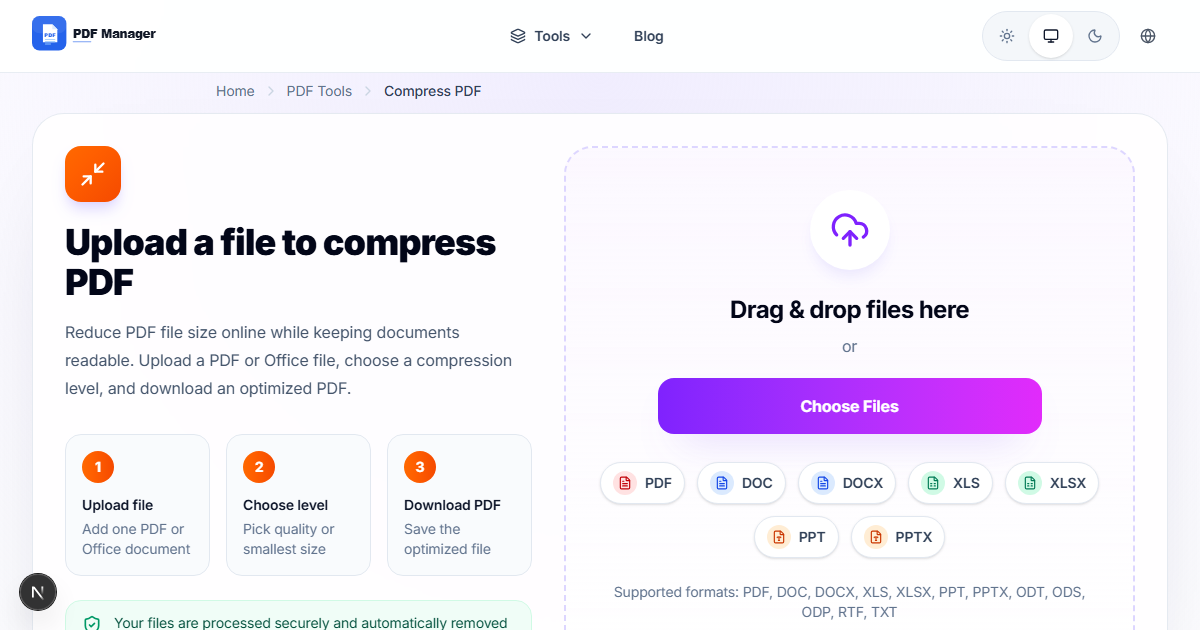
PDF Manager offers the most complete free PDF toolkit with 15+ tools including merge, split, compress, convert (Word, Excel, PPT, JPG), protect, unlock, rotate, and more. No sign-up required, no watermarks, and fast processing make it our top pick.
2. ILovePDF
A popular choice with a clean interface. Offers merge, split, compress, and conversion tools. Free tier has file size limits and a 2-file-per-hour restriction on some tools.
3. Smallpdf
Well-designed with good features. Free users get 2 tasks per day. Paid plans unlock unlimited access. Strong PDF to Word conversion quality.
4. PDF24
A German-made tool with desktop and online versions. Completely free with no usage limits. Interface is functional but less polished than competitors.
5. Adobe Acrobat Online
Adobe offers free online PDF tools including compress, convert, and merge. Limited free features; most advanced tools require a paid subscription.
6. PDF Candy
Good variety of tools with a simple interface. Free tier has hourly limits. Supports many conversion formats including ebook conversions.
7. Sejda
Focused on editing and form filling. Free tier limits to 3 tasks per day and 50MB file size. Good for quick edits and annotations.
8. Soda PDF
Offers online and desktop versions. Free tools include merge, compress, and convert. Some features require account creation.
9. PDF Escape
Specializes in PDF editing and form creation. Free version works on files up to 10MB and 100 pages. Good for annotating and filling forms.
10. HiPDF
Wondershare product with decent conversion quality. Free tier limits to 2 tasks per day. Clean interface with batch processing on paid plans.
Feature Comparison
Here is how the top tools compare on key features:
- Truly free (no limits) — PDF Manager, PDF24
- Best conversion quality — PDF Manager, Smallpdf, Adobe
- No sign-up required — PDF Manager, ILovePDF, PDF24
- No watermarks — PDF Manager, PDF24, Sejda
- Most tools available — PDF Manager (15+), ILovePDF (10+), Smallpdf (20+)
- Best privacy policy — PDF Manager (auto-delete), PDF24 (GDPR compliant)
Why PDF Manager Stands Out
PDF Manager combines the best qualities of all these tools into one platform:
- 15+ free tools covering all common PDF tasks
- No sign-up, no watermarks, no hidden fees
- Fast processing with server-side conversion
- Files automatically deleted after processing for privacy
- Works on desktop and mobile browsers
Frequently Asked Questions
Which free PDF website is best for merging files?
PDF Manager and ILovePDF both offer excellent merge tools. PDF Manager has no file count limits, while ILovePDF limits free users to a few files per hour.
Are free PDF websites safe to use?
Most reputable PDF websites delete uploaded files within hours of processing. PDF Manager automatically deletes files after conversion. Always check the privacy policy before uploading sensitive documents.
Can I use these tools on my phone?
Yes, all the websites listed work in mobile browsers. PDF Manager is fully responsive and works great on both Android and iOS devices.
Why should I choose PDF Manager over Adobe?
Adobe Acrobat Online requires an account and limits free features. PDF Manager offers the same core tools completely free without any sign-up or restrictions.
Why Use PDF Manager
Built for quick conversions
The core tools are designed to get users from upload to result with minimal friction.
Made for practical workflows
Move from one document step to the next without hunting through a confusing tool library.
Simple and trustworthy
Clear states, secure handling, and polished result screens make the workflow easy to trust.

Umar Draz
Document Tools Specialist
Software engineer with 5+ years building document processing tools. Created PDF Manager to make PDF tools accessible to everyone. Tests every feature with real-world documents before release.
- 5+ years in document processing
- Built PDF Manager from scratch
- Tested 10,000+ PDF workflows
Ready to use the tool?
Open the tool page and follow the same workflow from this guide inside a conversion experience built for fast results.
Related Tools
Useful next steps around the same document workflow.
Related Articles
Continue with nearby guides that support the same conversion path.
From PDF
How to Convert PDF to Word Without Losing Formatting
Turn PDFs into editable Word documents while preserving structure, spacing, tables, and readable layout.
To PDF
How to Convert Word to PDF (Free & Fast)
A clean guide to turning Word documents into PDFs quickly for sharing, printing, and final delivery.
Quick Answers
Which free PDF website is best for merging files?
PDF Manager and ILovePDF both offer excellent merge tools. PDF Manager has no file count limits, while ILovePDF limits free users to a few files per hour.
Are free PDF websites safe to use?
Most reputable PDF websites delete uploaded files within hours of processing. PDF Manager automatically deletes files after conversion. Always check the privacy policy before uploading sensitive documents.
Can I use these tools on my phone?
Yes, all the websites listed work in mobile browsers. PDF Manager is fully responsive and works great on both Android and iOS devices.
Why should I choose PDF Manager over Adobe?
Adobe Acrobat Online requires an account and limits free features. PDF Manager offers the same core tools completely free without any sign-up or restrictions.